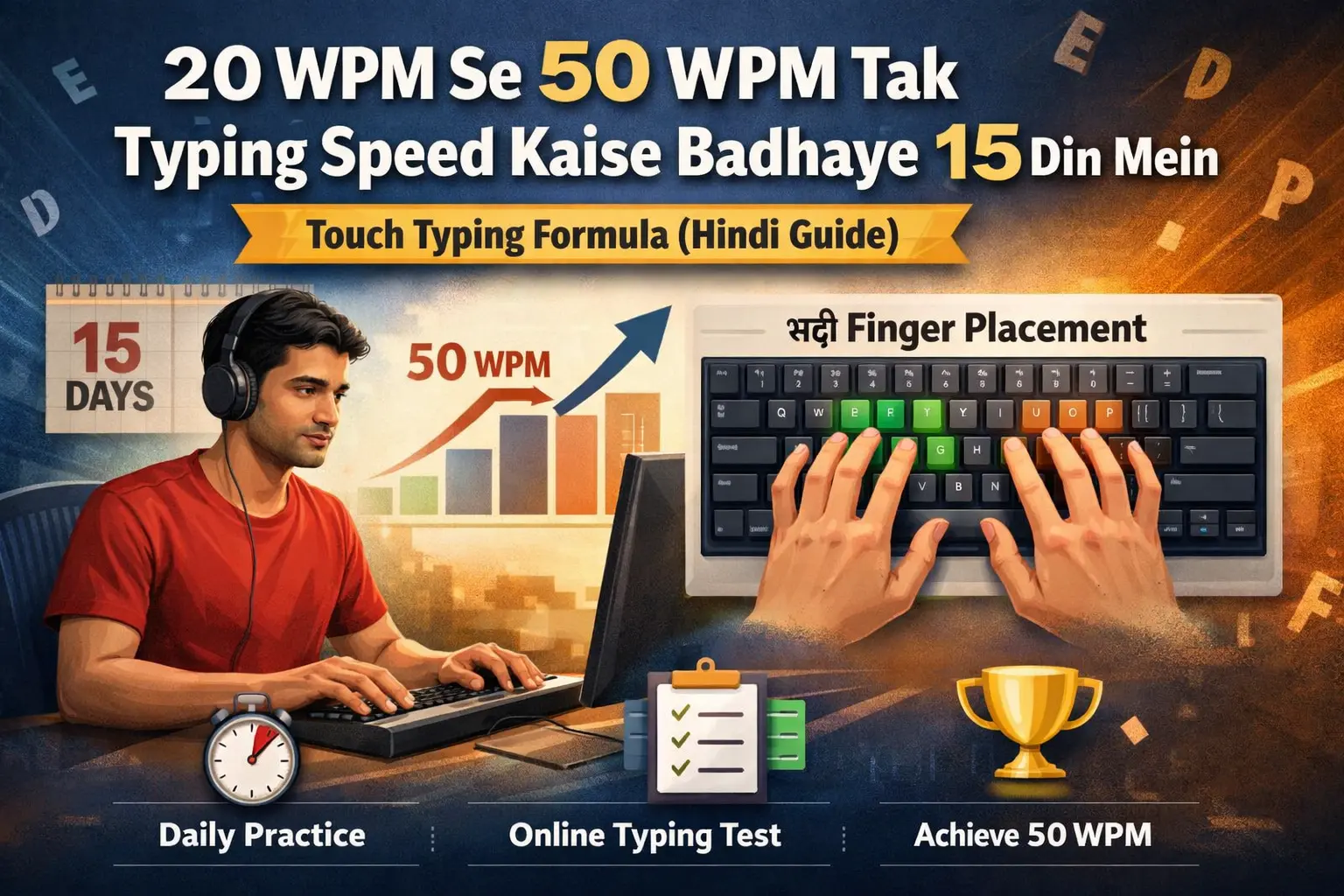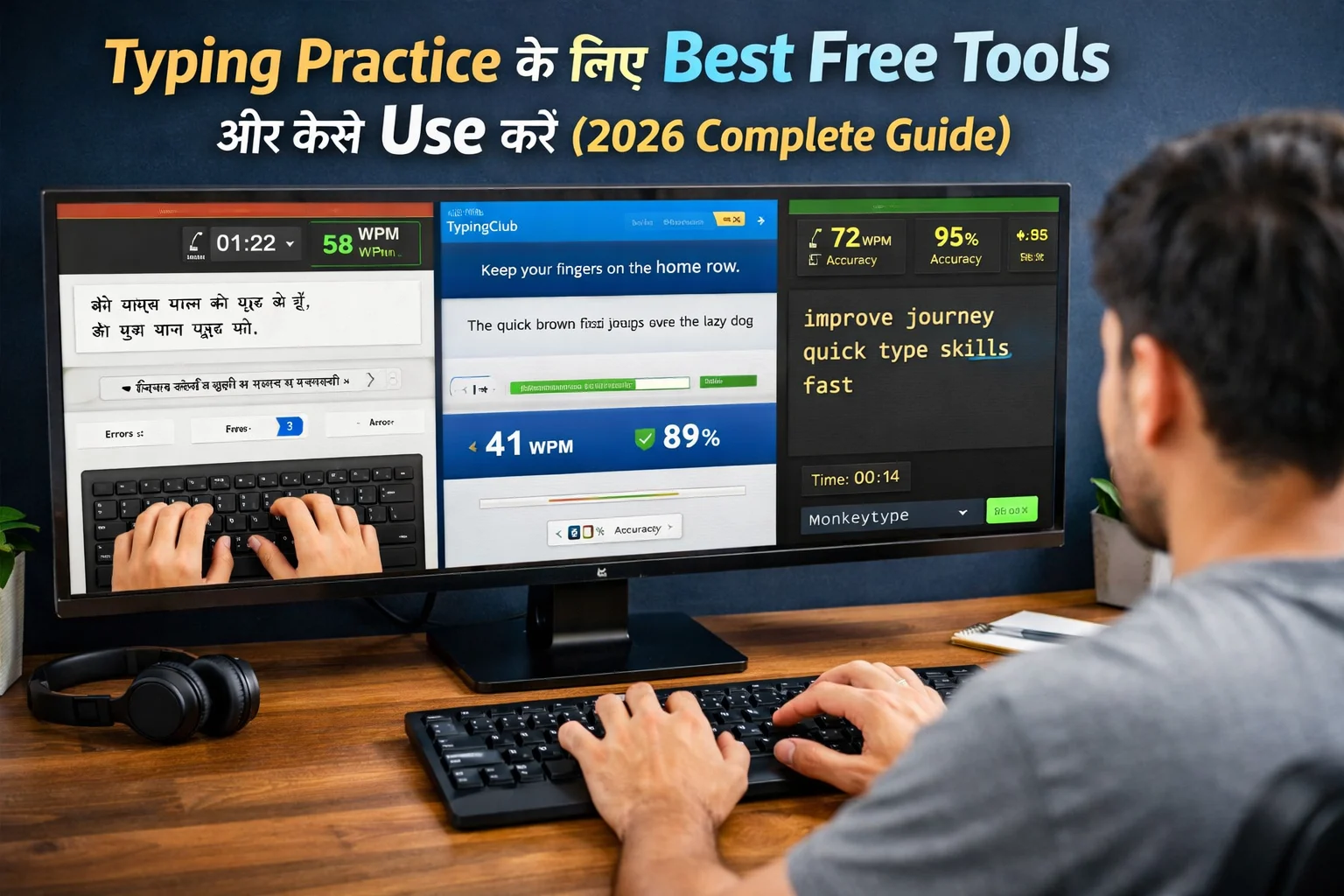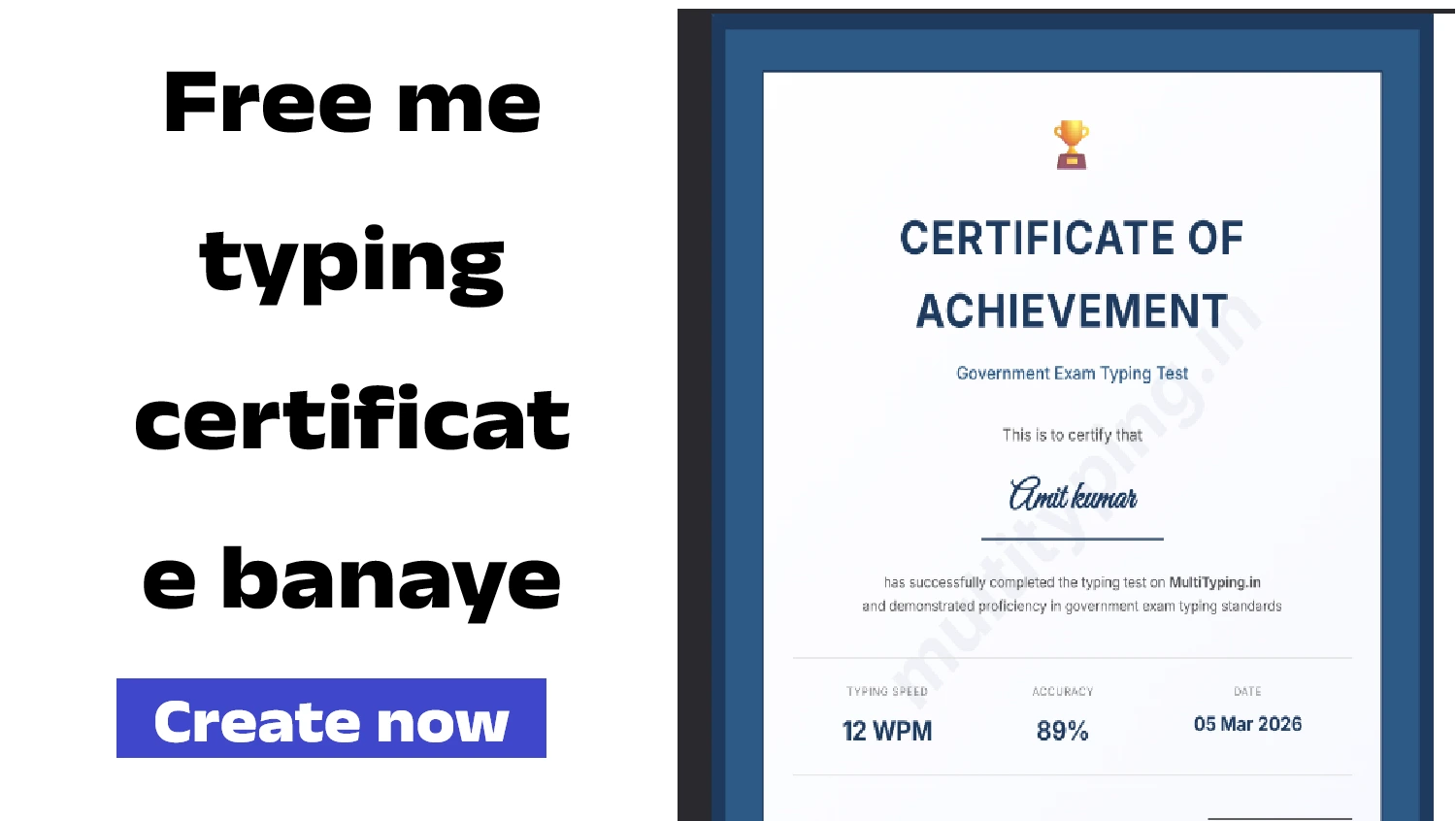
Online Typing Speed Test क्यों है सबसे बेहतरीन तरीका?
दोस्तों, मैं अमित कुमार हूँ और आज मैं आपको बताऊंगा free online typing speed tests के बारे में - कहाँ मिलते हैं, कैसे use करें, और किस platform को choose करें। पुराने जमाने में typing speed test देने के लिए या तो coaching centers जाना पड़ता था या फिर महंगे software खरीदने पड़ते थे। लेकिन अब 2026 में internet की वजह से आप घर बैठे, बिल्कुल free में, unlimited typing tests दे सकते हैं। यह एक game-changer है उन लोगों के लिए जो government exams की तैयारी कर रहे हैं या अपनी typing skills improve करना चाहते हैं।
Online typing tests के बहुत सारे फायदे हैं। सबसे बड़ा फायदा है convenience - आप कभी भी, कहीं भी test दे सकते हैं। सुबह 5 बजे practice करना है? कोई problem नहीं। रात 11 बजे test देना है? बिल्कुल possible है। कोई fixed timings नहीं, कोई travel नहीं, कोई waiting नहीं। दूसरा बड़ा advantage है instant results। जैसे ही test complete होता है, आपको तुरंत detailed results मिलते हैं - WPM, accuracy, errors, everything। तीसरा फायदा है variety - आप different types के tests try कर सकते हैं, different passages, different durations, different difficulty levels। चौथा - progress tracking। अच्छे platforms automatically आपकी history save करते हैं और graphs दिखाते हैं कि आप कैसे improve कर रहे हैं।
लेकिन एक problem है - internet पर सैकड़ों typing test websites हैं। कुछ अच्छी हैं, कुछ बिल्कुल बेकार। कुछ में ads की भरमार है, कुछ में features limited हैं, कुछ सिर्फ English में हैं (Hindi support नहीं), और कुछ में results accurate नहीं होते। इसलिए सही platform choose करना बहुत जरूरी है। इस comprehensive guide में मैं आपको बताऊंगा कि एक अच्छे online typing test platform में क्या features होने चाहिए, India के best platforms कौन से हैं, और आप कैसे इन platforms का maximum benefit उठा सकते हैं। साथ ही मैं आपको step-by-step guide दूंगा कि test कैसे दें और results को कैसे analyze करें।

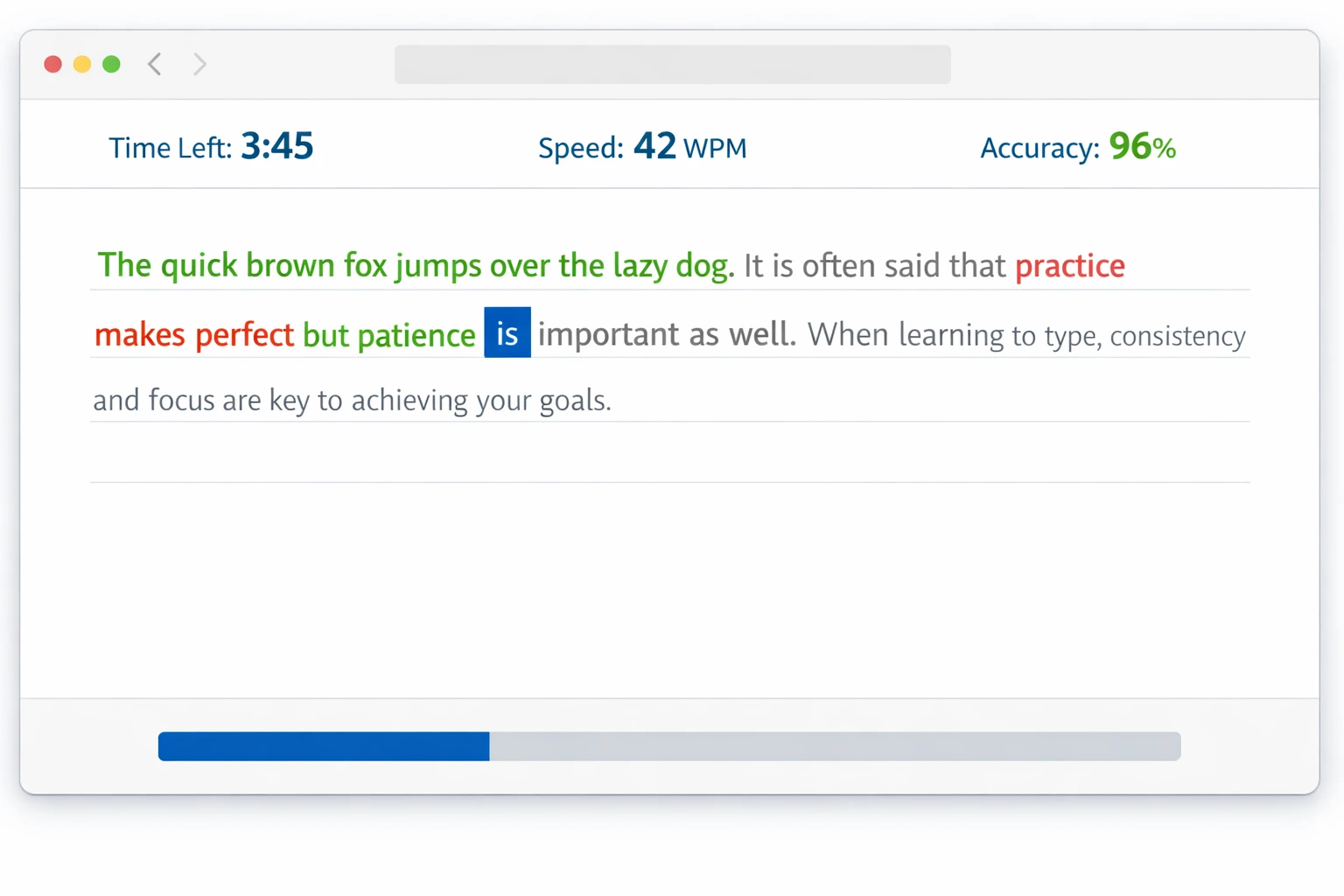
ऑनलाइन टाइपिंग स्पीड टेस्ट इंटरफेस - लाइव टेस्ट प्रगति में
एक अच्छे Online Typing Test Platform की पहचान
Essential Features जो होने चाहिए
एक quality typing test platform में कुछ essential features होने बहुत जरूरी हैं। सबसे पहला और सबसे important feature है - multiple language support। India में हमें English के साथ-साथ Hindi typing की भी जरूरत होती है। Government exams में तो Hindi typing compulsory है कई posts के लिए। इसलिए platform में Hindi support होना चाहिए और वो भी सिर्फ Devanagari script नहीं, बल्कि different Hindi typing layouts का proper support। Regional languages जैसे Marathi, Gujarati का support भी helpful है।
Hindi - Multiple Layouts का Challenge
अब आते हैं Hindi typing पर जो थोड़ी complex है। सबसे पहली बात - Hindi typing के लिए एक नहीं बल्कि कई layouts हैं। सबसे popular हैं Krutidev (Remington) और Mangal (Inscript)। यह diversity एक तरफ flexibility देती है लेकिन दूसरी तरफ confusion भी पैदा करती है।
Krutidev Layout: यह सबसे पुराना और traditional तरीका है जिसे Remington Layout भी कहते हैं। यह phonetic नहीं है, बल्कि इसमें keyboard की हर key एक specific Hindi character या matra को represent करती है। उदाहरण के लिए, Krutidev में 'k' दबाने पर 'ा' की मात्रा आती है और 'j' दबाने पर 'र' अक्षर। इसे सीखने के लिए आपको पूरी Coding याद करनी पड़ती है। यह UP, Bihar और Rajasthan के सरकारी दफ्तरों में आज भी सबसे ज्यादा इस्तेमाल होता है।
Mangal Inscript: यह भारत सरकार द्वारा standardized layout है जो बहुत scientific है। इसमें सबसे ज्यादा इस्तेमाल होने वाले अक्षर आपकी fingers के सबसे पास (Home Row) होते हैं। यह non-phonetic है और इसे सीखना शुरू में कठिन लग सकता है, लेकिन एक बार सीखने के बाद इसमें speed बहुत ज्यादा बढ़ती है। ज्यादातर modern सरकारी एग्जाम्स (जैसे SSC, CPCT) में अब Mangal Inscript या Remington GAIL का विकल्प दिया जाता है।
नोट: बहुत से लोग 'namaste' टाइप करके 'नमस्ते' लिखने को हिंदी टाइपिंग समझते हैं, जिसे Transliteration (Phonetic) कहा जाता है। यह सोशल मीडिया के लिए तो अच्छा है, लेकिन सरकारी एग्जाम्स और प्रोफेशनल काम के लिए आपको Krutidev या Inscript ही सीखना होगा।
Accurate WPM Calculation और Analytics
दूसरा important feature है accurate WPM calculation। कुछ platforms पर WPM calculation गलत होती है क्योंकि वे सिर्फ characters count करते हैं या फिर spaces को ignore कर देते हैं। Correct method यह है कि total characters (including spaces) को 5 से divide करें (क्योंकि average word length 5 characters होती है) और फिर time के हिसाब से calculate करें। Accuracy calculation भी सही होनी चाहिए - gross errors और net errors दोनों show होने चाहिए। तीसरा feature - customizable test settings। आपको choose करने देना चाहिए कि test duration क्या हो (1 min, 5 min, 10 min, 15 min), difficulty level क्या हो, और passage type क्या हो।
चौथा crucial feature है detailed error analysis। सिर्फ यह बताना काफी नहीं है कि आपने 10 गलतियां कीं। Exactly कौन सी keys में गलतियां हुईं, किन words में struggle हुआ, यह breakdown मिलना चाहिए। पांचवा feature - progress tracking और history। आपके सभी past tests की history save होनी चाहिए और graphs में trends दिखने चाहिए। छठा - clean interface बिना annoying ads के। कुछ free websites पर इतने ads होते हैं कि test देना मुश्किल हो जाता है। अच्छे platforms minimal या no ads रखते हैं। सातवां - mobile responsiveness। आजकल लोग mobile पर भी practice करना चाहते हैं, तो platform mobile-friendly होना चाहिए।
Government Exam Pattern Support
अगर आप government exam की तैयारी कर रहे हैं तो यह feature बहुत critical है। Platform में actual exam patterns के according tests होने चाहिए। जैसे SSC CGL में 10 minutes में English passage type करनी होती है minimum 35 WPM के साथ। Platform में exactly यही pattern का test available होना चाहिए ताकि आप real exam जैसा experience पा सकें। Railway exams, State PSC exams - सबके अलग-अलग patterns होते हैं। अच्छे platforms ये सब cover करते हैं।
साथ ही, passages की quality भी matter करती है। कुछ websites पर random text होता है जो actual exam में नहीं आता। Exam-oriented platforms में official या semi-official passages होते हैं - government letters, notifications, reports जैसे। इनकी language formal होती है, vocabulary specific होती है। इन पर practice करने से आप actual exam के लिए better prepared होते हैं। Mock test mode भी होना चाहिए जहाँ timer strict हो, कोई pause option न हो, exactly जैसा exam में होता है।
Best Free Typing Test Platforms in India
multityping.in - सबसे Complete Indian Platform
अगर मुझसे पूछें कि India में सबसे अच्छा free typing test platform कौन सा है, तो मेरा जवाब होगा multityping.in। यह specially Indian users के लिए design किया गया है और इसमें वो सारे features हैं जो एक serious learner को चाहिए। सबसे पहली खासियत - इसमें English, Hindi (Krutidev, Mangal, Inscript सभी), और कई regional languages का support है। आप अपनी पसंद की language चुन सकते हैं और practice कर सकते हैं। Interface बिल्कुल clean है, कोई annoying ads नहीं, और बहुत user-friendly है।
दूसरी बड़ी खासियत - government exam patterns का comprehensive coverage। SSC CGL, SSC CHSL, Railway, State PSC - सभी के patterns available हैं। आप specific exam select कर सकते हैं और उसके according test दे सकते हैं। Test durations भी customizable हैं - 1 minute से लेकर 15 minutes तक। Difficulty levels भी multiple हैं - beginner, intermediate, advanced। Passages की variety भी बहुत अच्छी है - stories, articles, official documents, technical content, सब कुछ।
तीसरी special feature - detailed analytics। Test complete होने के बाद आपको एक comprehensive report मिलती है जिसमें Gross WPM, Net WPM, Accuracy percentage, Error count, Error breakdown (कौन सी keys में गलतियां हुईं), Time taken, और Speed graph (test के दौरान आपकी speed कैसे vary हुई) - सब कुछ होता है। यह analytics आपको exactly बताती है कि आप कहाँ improve कर रहे हैं और कहाँ काम करना है। Progress tracking भी excellent है - आप अपने पिछले सभी tests की history देख सकते हैं, improvement graphs देख सकते हैं। multityping.in पर MCQ practice की सुविधा भी है जो government exams के written test के लिए helpful है।
TypingTest.com - International Standard Platform
TypingTest.com एक बहुत popular international platform है जो दुनिया भर में use होता है। इसकी सबसे बड़ी strength है इसका professional interface और accurate testing mechanism। यह companies द्वारा भी employee hiring के लिए use किया जाता है। Tests बहुत well-designed होते हैं और results globally recognized हैं। अगर आप international jobs के लिए apply कर रहे हैं तो यहाँ का certificate helpful हो सकता है। लेकिन limitation यह है कि यह mainly English-focused है। Hindi support limited है और Indian exam patterns specifically covered नहीं हैं।
10FastFingers - Speed-Focused Platform
10FastFingers एक fun और competitive platform है। इसकी unique feature है multiplayer mode - आप दूसरे लोगों के साथ real-time में compete कर सकते हैं। यह motivation के लिए बहुत अच्छा है। Leaderboards होते हैं जहाँ आप अपनी ranking देख सकते हैं। Multiple languages support है including Hindi। Tests quick होते हैं - mostly 1 minute के। यह अच्छा है daily quick practice के लिए। लेकिन comprehensive analytics और exam pattern support नहीं है। यह more of a casual practice tool है rather than serious exam preparation platform।
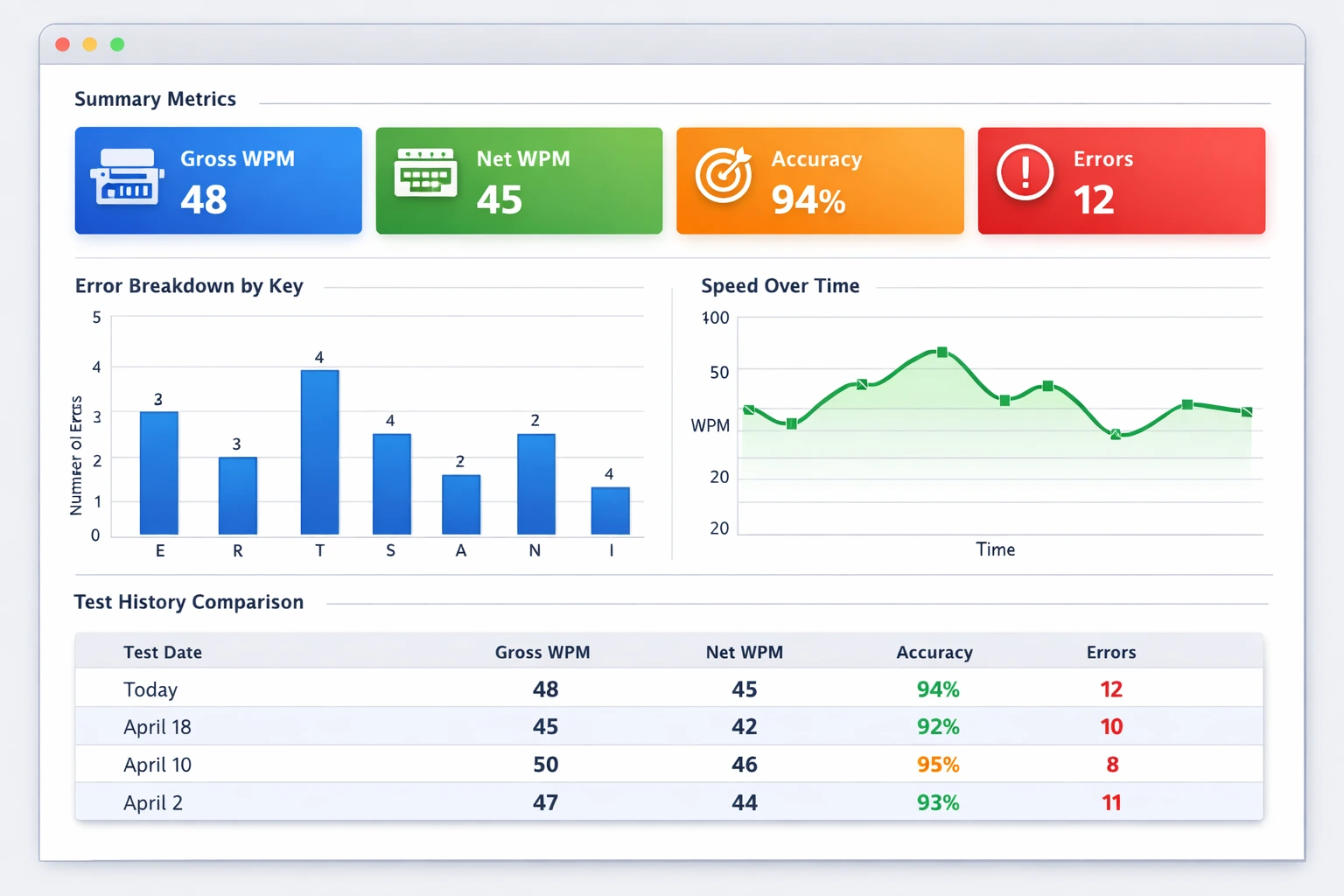
टाइपिंग टेस्ट परिणाम विश्लेषण डैशबोर्ड - ग्राफ और मेट्रिक्स के साथ
Online Typing Test कैसे दें - Step by Step Guide
Pre-Test Preparation
Test देने से पहले कुछ जरूरी तैयारियां करनी चाहिए। सबसे पहले - अपने setup को check करें। Proper posture में बैठें - back straight, feet flat on floor, elbows at 90 degrees। Keyboard properly positioned हो। Screen brightness comfortable हो, कोई glare न हो। Internet connection stable हो - बीच में disconnect हो गया तो test cancel हो सकता है। Browser updated हो और cookies/cache clear हों ताकि कोई technical issue न आए।
दूसरा - mental preparation। Test देने से पहले 5-10 minutes warm-up करें। कुछ simple drills करें - home row, common words, frequent letter combinations। इससे आपकी fingers warm up हो जाएंगी और mind typing mode में आ जाएगा। Deep breaths लें, relax करें। Nervous होने से speed और accuracy दोनों affect होती हैं। Positive mindset रखें। यह सोचें कि 'मैं अपनी best performance दूंगा' न कि 'कहीं गलती न हो जाए'। Distractions को eliminate करें - phone को silent mode में रखें, door close करें, family members को बताएं कि disturb न करें।
Test देने के दौरान - During the Test
Test start करने से पहले instructions carefully पढ़ें। Time duration check करें, passage को एक बार quickly scan करें (पूरा पढ़ने की जरूरत नहीं, बस एक general idea)। Start button click करें और जैसे ही timer start हो, typing शुरू करें। बिना किसी hesitation के। पहली few seconds में rhythm पकड़ने की कोशिश करें। न बहुत fast, न बहुत slow - एक comfortable pace। याद रखें - speed से ज्यादा accuracy important है। गलत type होने पर immediately backspace करके correct करें। कुछ tests में backspace allowed नहीं होता - उस case में आगे बढ़ते रहें।
Test के दौरान keyboard को बिल्कुल मत देखें। Screen पर focus रखें। अगर कोई word difficult लग रहा है तो उस पर ज्यादा time waste मत करें - carefully लेकिन quickly type करें। Timer पर बार-बार ध्यान मत दें - यह distract करता है। बस अपने flow में रहें। Breathing normal रखें - कुछ लोग tension में सांस रोक लेते हैं जो concentration को affect करता है। हर 30-40 seconds में एक quick mental check करें - 'मेरी posture सही है? Fingers सही position में हैं? Speed consistent है?' लेकिन overthink मत करें। जैसे ही timer end हो, typing stop कर दें।
Post-Test Analysis - Results को समझें
Test complete होने के बाद सबसे important part है - results को properly analyze करना। बहुत से लोग सिर्फ WPM number देखते हैं और खुश या नाराज हो जाते हैं। लेकिन यह सही approach नहीं है। Results page पर जो भी metrics दिए हुए हैं, सबको ध्यान से देखें। Gross WPM - यह आपकी raw speed है errors को consider किए बिना। Net WPM - यह आपकी actual speed है errors को minus करने के बाद। Accuracy percentage - यह बताता है कि आपने कितने percent characters सही type किए। Error count - कुल कितनी गलतियां हुईं।
अब deeper dive करें। Error breakdown देखें - कौन सी specific keys में गलतियां हुईं? कौन से letter combinations problematic रहे? कुछ patterns notice करें। जैसे अगर आप देखें कि 'th' combination में बार-बार गलती हो रही है, तो इसका मतलब है कि आपको specifically इस combination की practice करनी चाहिए। Speed graph भी देखें अगर available हो - यह बताता है कि test के दौरान आपकी speed कैसे vary हुई। Ideally, speed consistent होनी चाहिए। अगर graph में बहुत ups and downs हैं तो इसका मतलब है कि कुछ words/sections में आप struggle कर रहे हैं।
अपने current test results को previous tests से compare करें। Improvement हो रही है? Stagnant हैं? Regress हो रहे हैं? Trends identify करें। अगर consistently improve कर रहे हैं तो आप सही direction में जा रहे हैं। अगर plateau आ गया है (कई tests से same WPM) तो अपनी practice strategy में कुछ change करने की जरूरत है। Results को एक notebook में note करें या screenshot save करें। Monthly basis पर review करें और long-term progress track करें।
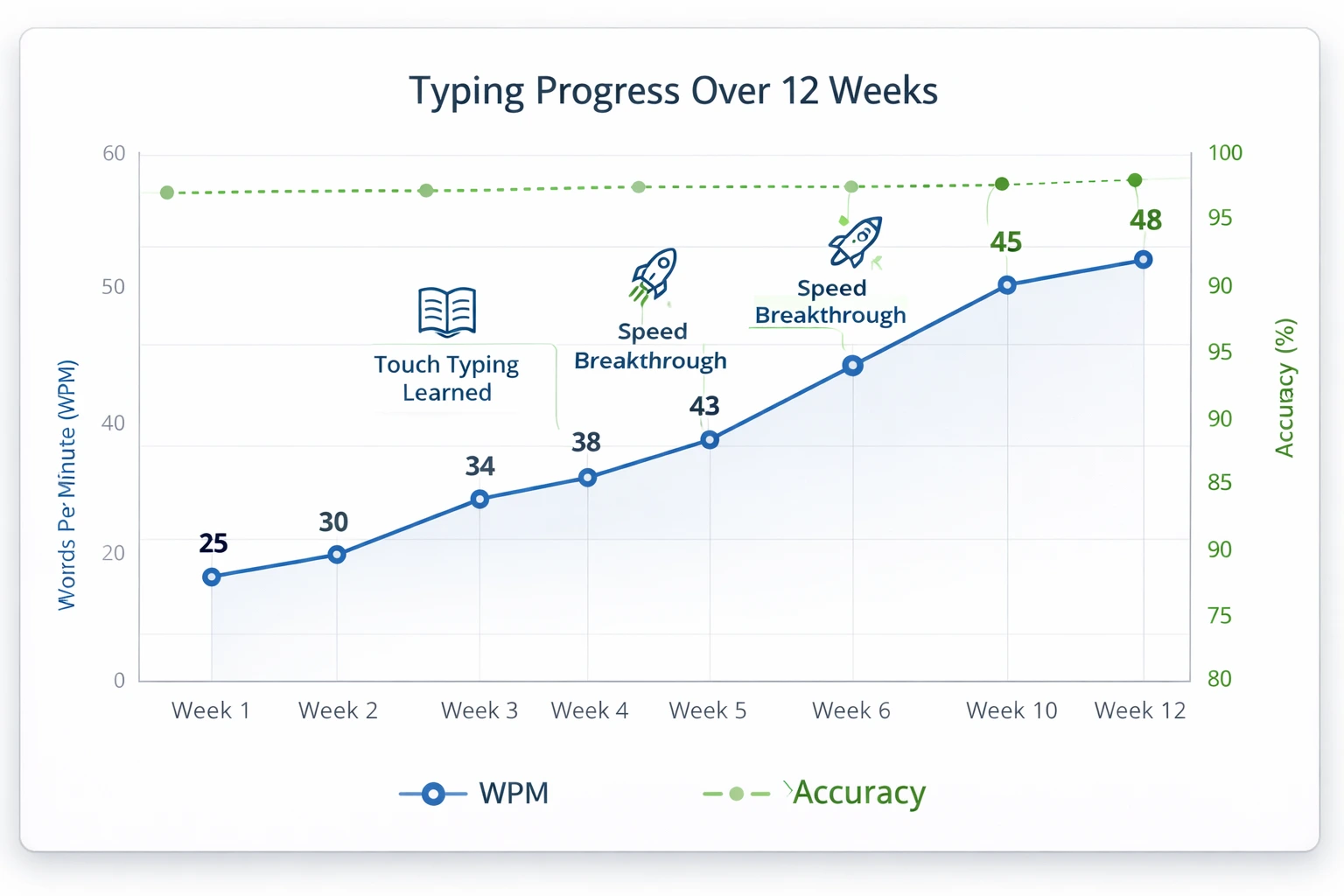
टाइपिंग स्पीड प्रगति तुलना चार्ट - समय के साथ सुधार दिखाता हुआ
Results को Interpret करना और Action Plan
WPM Numbers का सही मतलब समझें
बहुत से लोगों को confusion होता है कि 'अच्छी' typing speed क्या होती है। तो आइए इसे clear करते हैं। Absolute beginner के लिए 10-15 WPM normal है। अगर आप इस range में हैं तो घबराने की कोई बात नहीं - बस consistent practice करते रहें। Beginner to Intermediate transition में 20-30 WPM होता है। यह वो stage है जब आप touch typing सीख रहे होते हैं। Intermediate level पर 35-45 WPM होता है। इस level पर आप comfortable typing कर पाते हैं और ज्यादातर office work के लिए यह sufficient है।
Advanced level 50-65 WPM है। यह professional level की speed है। Transcriptionists, writers, और data entry professionals generally इस range में होते हैं। Expert level 70+ WPM है। यह बहुत high speed है और इसे achieve करना requires extensive practice। Government exams के लिए required speed vary करती है - generally 30-40 WPM sufficient है depending on exam। लेकिन higher speed होना हमेशा advantage है। याद रखें - ये numbers सिर्फ benchmarks हैं। सबसे important है consistent improvement। अगर आप हर हफ्ते 2-3 WPM improve कर रहे हैं तो आप सही रास्ते पर हैं।
Accuracy का Importance
Speed के साथ-साथ accuracy भी बहुत critical है। Actually, मैं कहूंगा कि accuracy even more important है। 60 WPM with 80% accuracy better नहीं है 40 WPM with 98% accuracy से। क्योंकि errors को correct करने में time waste होता है और frustration भी होती है। Government exams में भी accuracy requirement होती है - usually 90-95% minimum। इसलिए सिर्फ speed के पीछे मत भागें। पहले accuracy achieve करें, फिर speed naturally आएगी।
अगर आपकी accuracy 90% से कम है तो urgent action लेने की जरूरत है। Speed को deliberately slow कर दें और हर character को carefully type करें। Proper finger placement ensure करें। Keyboard को बिल्कुल मत देखें। जो लोग keyboard देखकर type करते हैं, उनकी accuracy generally कम होती है। अगर specific keys में repeatedly errors हो रहे हैं तो उन keys की isolated practice करें। Accuracy में improvement होते ही speed automatically बढ़ने लगेगी।
Testing Schedule और Frequency
कितनी बार Test देना चाहिए?
यह एक common question है - कितनी बार typing test देना चाहिए? तो सही approach यह है कि testing और practice का balance रखें। सिर्फ tests देते रहना productive नहीं है - आपको actual practice भी करनी चाहिए drills, exercises, real content typing। Ideal frequency है - हफ्ते में 2-3 formal tests। यानी Monday को एक test, Wednesday या Thursday को एक, और Saturday को एक। इन tests को अपने learning cycle में strategically place करें।
सोमवार का test आपको बताएगा कि weekend की practice का क्या effect हुआ। Mid-week test check करेगा कि consistency बनी हुई है या नहीं। Saturday का test week भर की overall progress measure करेगा। इन formal tests के अलावा, आप daily practice sessions के end में quick 1-minute speed checks कर सकते हैं - ये formal tests नहीं हैं, बस quick indicators हैं। Monthly basis पर एक longer test (15-20 minutes) दें जो comprehensive evaluation करे।
Mock Tests का Importance
अगर आप government exam की तैयारी कर रहे हैं तो mock tests बहुत जरूरी हैं। Mock test मतलब exactly वैसा test जैसा actual exam में होगा - same duration, same pattern, same rules। Exam से 2-3 महीने पहले से regular mock tests देना शुरू करें। शुरुआत में महीने में एक, फिर हफ्ते में एक, और exam से एक महीने पहले हफ्ते में 2-3। Mock tests आपको exam pressure handle करना सिखाते हैं। जब आप repeatedly mock tests देते हैं तो actual exam day पर nervousness कम होती है क्योंकि आपका mind उस environment से familiar हो चुका होता है।
Frequently Asked Questions
सबसे अच्छा free typing test platform कौन सा है?
Indian users के लिए multityping.in सबसे अच्छा option है क्योंकि यह specifically Indian exams और languages के लिए designed है। इसमें English और Hindi (Krutidev, Mangal, Inscript) दोनों support हैं, government exam patterns available हैं, detailed analytics मिलती है, और completely free है बिना annoying ads के। International level के लिए TypingTest.com अच्छा है। Fun practice के लिए 10FastFingers try कर सकते हैं।
Typing speed test में WPM कैसे calculate होती है?
WPM (Words Per Minute) calculation: Total characters typed (including spaces) को 5 से divide करें (average word length), फिर time के according adjust करें। उदाहरण: अगर आपने 5 minutes में 1500 characters type किए तो - 1500 ÷ 5 = 300 words, 300 ÷ 5 minutes = 60 WPM। Gross WPM total characters से calculate होती है। Net WPM में errors को subtract किया जाता है - हर error के लिए एक word minus।
कितनी typing speed अच्छी मानी जाती है?
यह depend करता है level और purpose पर। Beginners: 10-20 WPM normal है। Intermediate: 30-40 WPM comfortable typing के लिए। Advanced/Professional: 50-70 WPM। Expert: 80+ WPM। Government exams के लिए generally 30-40 WPM required होता है depending on exam। Office work के लिए 40-50 WPM sufficient है। सबसे important है कि accuracy 95% से ऊपर हो। 60 WPM with 80% accuracy से better है 40 WPM with 98% accuracy।
कितनी बार typing test देना चाहिए?
Weekly 2-3 formal tests ideal हैं - Monday, mid-week (Wednesday/Thursday), और Saturday। इससे ज्यादा testing productive नहीं है, आपको actual practice भी चाहिए। Daily practice sessions के end में quick 1-minute checks कर सकते हैं लेकिन ये formal tests नहीं हैं। Monthly एक longer comprehensive test (15-20 minutes) दें। Exam preparation के लिए last 2-3 months में weekly mock tests जरूरी हैं। Balance रखें testing और practice का - 70% practice, 30% testing।
Test results में सबसे important metric कौन सी है?
सिर्फ WPM number देखना काफी नहीं। तीन metrics equally important हैं: (1) Net WPM - आपकी actual speed errors के बाद, (2) Accuracy percentage - minimum 95% होनी चाहिए, (3) Consistency - speed steady रहनी चाहिए पूरे test में। Error breakdown भी देखें - कौन सी specific keys problematic हैं। Progress trend भी important है - हर week improvement हो रही है या plateau है। Government exams के लिए Net WPM और Accuracy दोनों critical हैं।
Mobile पर typing test दे सकते हैं क्या?
Technically हाँ, कुछ platforms mobile-responsive हैं। लेकिन यह recommended नहीं है serious practice या testing के लिए। Mobile touchscreen typing बिल्कुल अलग है physical keyboard typing से। Government exams और professional jobs में physical keyboard ही use होता है। Mobile पर thumb typing होती है जो touch typing नहीं है। अगर आप exam preparation कर रहे हैं तो हमेशा computer/laptop पर physical keyboard के साथ practice करें। Mobile use करें सिर्फ theory पढ़ने या quick revision के लिए, actual typing practice के लिए नहीं।
निष्कर्ष - Regular Testing से बनें Expert Typist
दोस्तों, online typing speed tests एक powerful tool हैं अपनी typing skills को improve करने के लिए। लेकिन याद रखें - tests सिर्फ measurement tools हैं, improvement तो actual practice से होती है। Tests आपको बताते हैं कि आप कहाँ खड़े हैं, कहाँ improve करना है। लेकिन वहाँ पहुंचने के लिए आपको daily dedicated practice करनी होगी - drills, exercises, real content typing। Testing और practice का सही balance बनाएं - 70% practice, 30% testing।
इस guide में मैंने आपको बताया है कि अच्छे typing test platform की क्या पहचान है, India के best platforms कौन से हैं, test कैसे दें, results को कैसे analyze करें, और उनके based पर action plan कैसे बनाएं। साथ ही मैंने Krutidev और Inscript layouts के बारे में technical clarity भी दी है। अब बारी है implementation की। आज ही multityping.in पर जाएं, एक test दें, अपनी current speed और accuracy check करें। फिर एक proper practice schedule बनाएं और उसे follow करें। Weekly tests दें, progress track करें, weak areas identify करें और उन पर काम करें।
याद रखें - typing speed improvement एक gradual process है। Overnight results की expect मत करें। लेकिन अगर आप consistent हैं - regular practice, weekly testing, proper technique - तो 3-4 महीने में आप खुद में amazing transformation देखेंगे। चाहे आप government exam की तैयारी कर रहे हों, professional skills improve करना चाहते हों, या बस एक better typist बनना चाहते हों - online typing tests आपके लिए invaluable resource हैं। तो देर किस बात की? Start testing, start improving! 🆓💪