🎧 Audio Typing Test — Steno & Dictation
Select your language, speed & mode. In True Steno Simulation, the typing box is locked during audio playback — exactly like a real exam. Perfect for SSC Steno, High Court, and Vidhansabha preparation!
Timer started after dictation ended.
Dictation Completed!
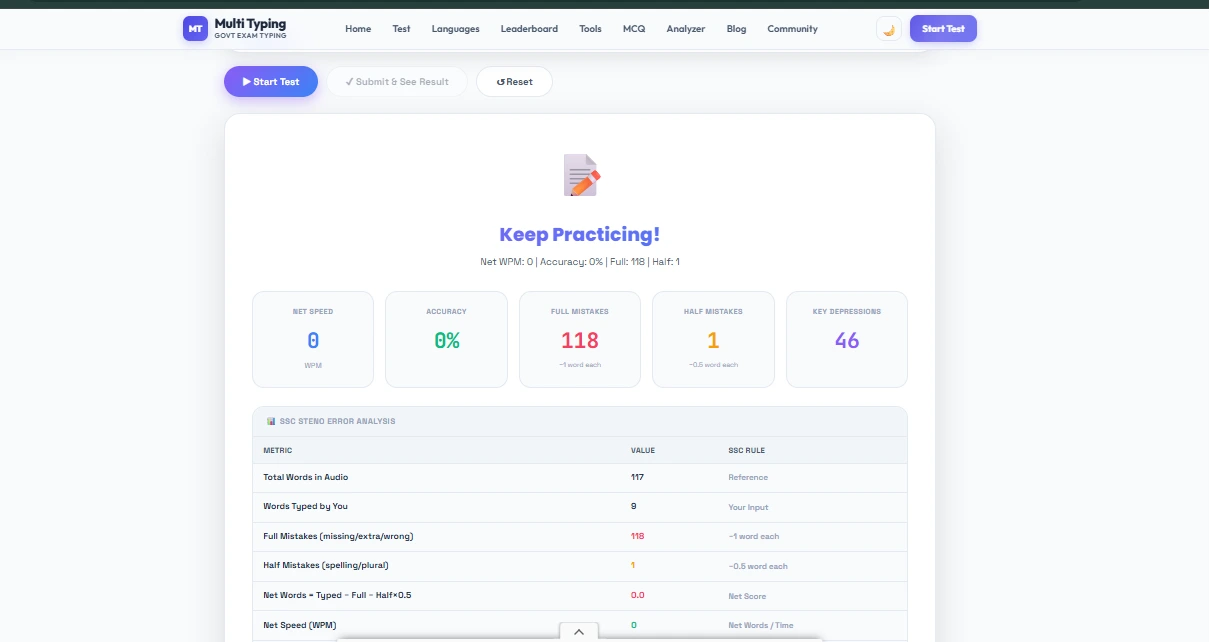
Here is your audio typing analysis
| Metric | Value | SSC Rule |
|---|
🎙 Original Transcript
⌨️ Your Typed Text
Audio Typing Test — The Complete Guide
From Direct Mode to Steno Simulation
The most realistic tool for dictation typing and steno practice. Discover how this tool helps you prepare for SSC Steno, High Court Steno, and government dictation exams — and learn how to use it effectively.
What Is the Audio Typing Test?
Steno and dictation exams have one defining challenge — you must listen to a voice at a set speed and either type simultaneously or take shorthand notes and transcribe later. This is a completely different skill from regular typing speed practice.
Our Audio Typing Test Tool replicates this exactly: government-style dictation clips play — court rulings, official letters, news passages — and you type while listening. Both modes are available: type while listening, or listen first and transcribe after.
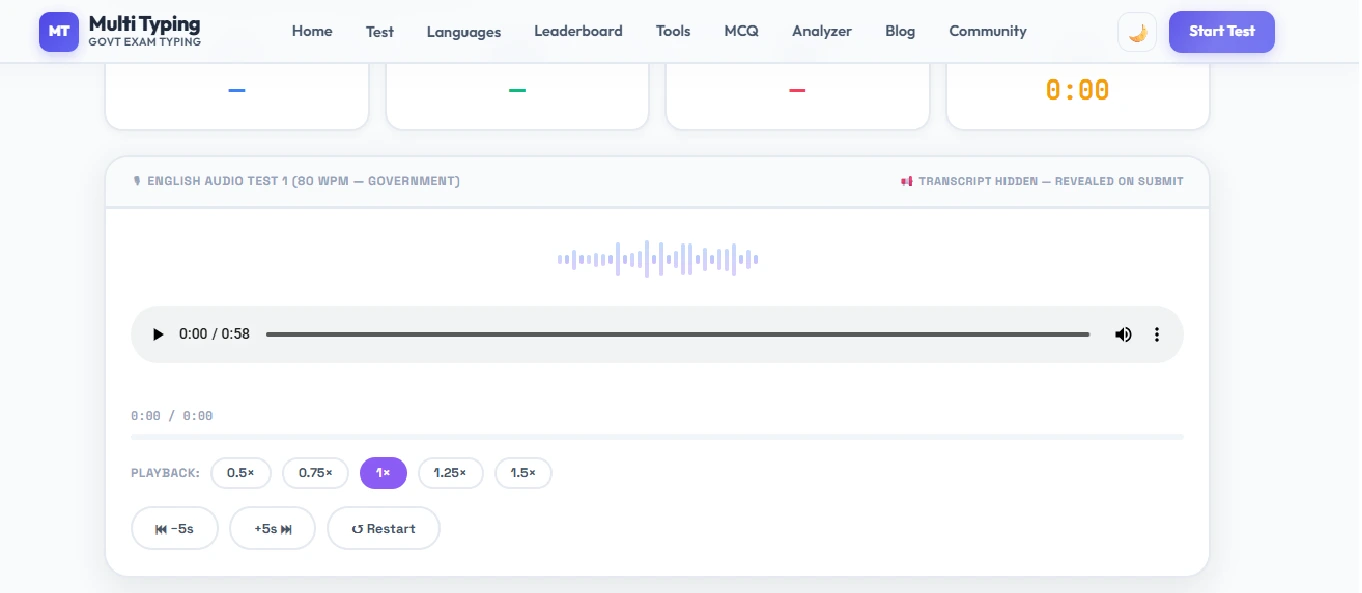
SSC Steno Grade D requires 80 WPM dictation + 50 WPM transcription. Grade C requires 100 WPM + 40 WPM. This tool offers clips at 60, 80, 100, and 120 WPM — the correct ladder approach for progressive speed practice.
Direct Mode vs. True Steno Simulation — What Is the Difference?
The tool has two distinct modes designed for different skill levels. Here is what each one involves:
Direct Audio Typing
- Audio plays and you type simultaneously
- The textarea stays open at all times
- No shorthand required — start here if you are new
- Builds listening + simultaneous typing coordination
- Gradually increase speed — 60 → 80 → 100 WPM
True Steno Simulation
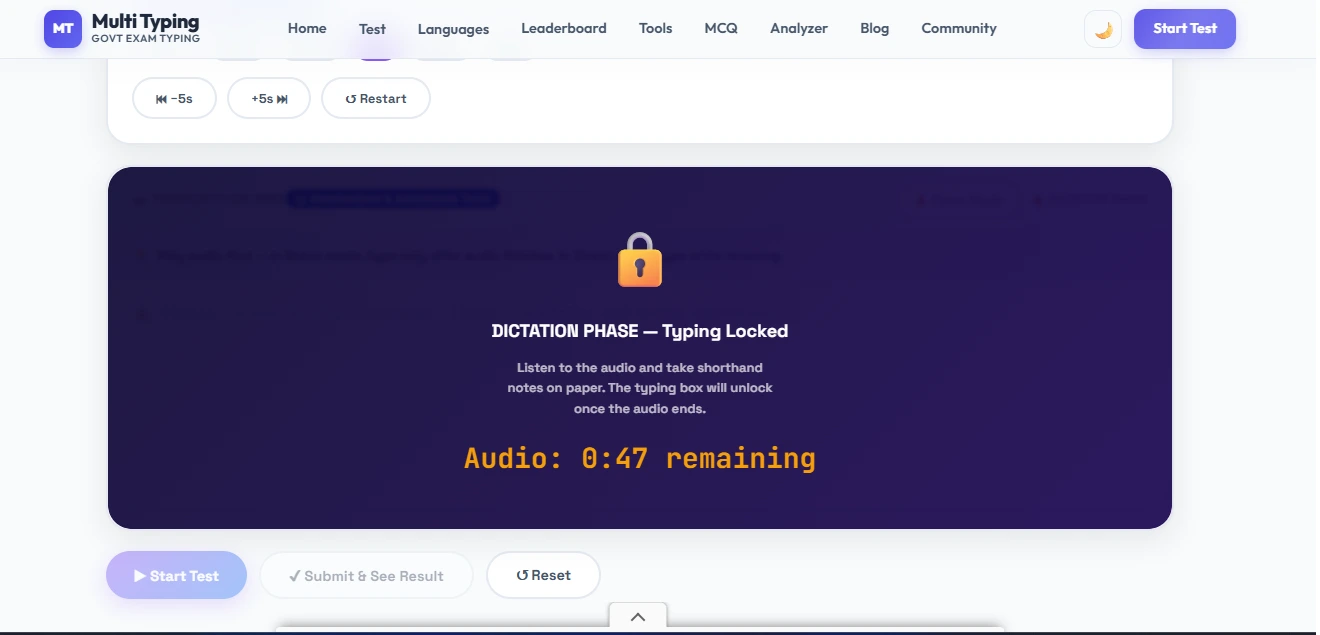
- Dictation plays first (textarea LOCKED)
- Take shorthand notes on pen and paper
- Dictation ends → 3-2-1 countdown begins
- Transcription timer starts — type from your notes
- Exactly replicates the SSC / High Court steno exam flow
No shorthand background? Start with Direct mode. Preparing for a steno exam? True Steno Simulation is essential. Using both modes daily is ideal — they develop distinct and complementary skills.
Top Features of the Tool — Just the Facts
60–120 WPM Speed Clips
From slow to fast — clips at 60, 80, 100, and 120 WPM in both Hindi and English. Achieve 95% accuracy at 60 WPM before moving to 80. That is the right ladder.
Live Waveform Visualizer
An animated waveform plays while audio runs. This confirms the audio is active, adds a professional studio feel, and gives a genuine motivation boost during practice.
3-2-1 Countdown Overlay
In Steno mode, a countdown appears after dictation ends and before transcription begins. This replicates the psychological pressure of a real exam, helping you feel prepared on the actual day.
Textarea Lock During Dictation
In Steno mode, typing is disabled while the dictation plays — exactly like the real exam. This forces you to practice the right skill: listen first, type after.
SSC-Style Error Scoring
Errors are calculated using the SSC formula: incorrect word = 1 error. Net Speed = WPM − (errors × penalty). You can estimate your real exam score from the result screen.
Focus / Distraction-Free Mode
Header, sidebar — everything hides. Only the audio player and typing area remain. Exam-hall concentration at a single click. Toggle on and off anytime.
Hindi & English Clips
Government-style dictation clips in both languages. Hindi Mangal / Devanagari activates automatically. Passages mirror real exam material.
Detailed Result + Comparison
WPM, Accuracy, Errors, Net Speed — everything is tracked. Your original text vs. typed text comparison is shown, with incorrect words highlighted in red. Analyze your patterns and improve.
How to Use the Tool — Step by Step
Choose Your Mode
Start with "Direct Audio Typing" as a beginner. Once you are comfortable and have learned shorthand, switch to "True Steno Simulation" for full exam-level practice.
Select Language & Speed
Choose English or Hindi based on your exam. Start at 60 WPM. Move to 80 once you hit 90%+ accuracy, then 100 WPM. The ladder approach is the most effective progression.
Select a Clip
Browse available clips — each shows WPM and topic. Plug in headphones before starting — audio clarity is critical, especially for Hindi dictation.
Click "Start Test"
In Steno mode: countdown → dictation plays → textarea locks. In Direct mode: audio plays and you type. Always use headphones — speakers can cause you to miss words.
Take Notes (Steno Mode Only)
During dictation, write shorthand on pen and paper. The textarea is locked — your only job in this phase is note-taking. When dictation ends, a countdown appears.
Transcribe and Submit
Once the textarea unlocks, type from your shorthand notes or memory — the timer is running. Click "Submit" when done — the result screen shows your SSC-style score.
Naye clip se pehle ek hi clip par 95%+ accuracy aane do. Variety baad mein — pehle ek ko perfect karo. Yeh approach dictation mein fastest improvement deti hai.
Pro Tips to Improve at Dictation
Always Use Headphones
Speakers can cause you to miss soft sounds and schwa vowels — especially in Hindi dictation. Headphones significantly improve both clarity and accuracy during practice.
Shorthand Is Essential for Steno Mode
You will only get the full benefit of True Steno mode if you know shorthand. A Pitman or Stenography course takes 3–4 months and gives you the skills needed for real exams.
Repeat Each Clip Multiple Times
First attempt — notice where you went wrong and why. Second attempt — improvement. Third attempt — 90%+. This repetitive approach is the fastest way to improve at dictation.
Increase Speed Gradually
60 → 80 → 100 → 120 WPM — one step at a time. Get 5 consecutive attempts at 90%+ before moving to the next speed. Never skip levels.
Use Focus Mode During Practice
Turn on distraction-free mode even while practicing — you need to build the concentration habit before the exam. This psychological habit gives you a real edge in the hall.
Passive Listening Is Also Practice
Not just typing — listening to dictation and mentally transcribing is also a skill. Play clips at night and mentally type along — this speeds up your brain's listening-to-text conversion.
Which Exams Is This Tool Best For?
This tool is specifically designed for exams where you must listen to dictation and then type:
| Exam | Dictation Speed | Transcription Speed | Language |
|---|---|---|---|
| SSC Steno Grade D | 80 WPM | 50 WPM (30 min) | English/Hindi |
| SSC Steno Grade C | 100 WPM | 40 WPM (40 min) | English/Hindi |
| High Court Stenographer | 80–100 WPM | 40–50 WPM | English/Hindi |
| Delhi HC Steno | 100 WPM | 40 WPM | English |
| Parliamentary Reporter | 160 WPM | Varies | English/Hindi |
| State Steno (UP, Raj, MP) | 80 WPM | 40–45 WPM | Hindi |
The figures above are general estimates — they may change year to year and vary by organization. Always check the official exam notification for the exact speed, duration, and pattern before preparing.
Frequently Asked Questions
You've Read It — Now Go Practice! 🎧
Theory only takes you so far. Scroll back up and start the Audio Typing Test right now — completely free, no signup required. One session will show you exactly why this tool is different.