TCS
iON

TCS iON Typing Test — Candidate Registration

Enter your details to start the exam simulation

Preview
📷
Click to upload your photo (optional)
Photo sirf browser mein — exam exit hone par automatically delete
ℹ️ During the exam, all navigation menus will be hidden. This simulates the actual TCS iON exam environment. Press Exit Exam to return to the homepage at any time.
SSC CGL Typing Test
Candidate
Candidate Name
Roll: —
Time Left 10:00
Net WPM 0
Accuracy 100%
Errors 0
Words Typed 0
Key Depressions 0
📄 Passage — Type the following text Passage 1 of 26
⌨️ Your Typing Area
Exam in Progress
Passage 1 of 26
📋 TCS iON Typing Test — Scorecard
Candidate
Roll: —
Candidate Photo
Candidate Name
Roll No:
Exam: SSC CGL Typing Test
Net Speed
0
Words Per Minute
🎯 Accuracy
0%
Correct Characters
Total Errors
0
Wrong Characters
⌨️ Key Depressions
0
Total Keystrokes
Time Taken
0:00
Minutes : Seconds
📊 Detailed Score Report
Parameter Your Score Benchmark Status
⚠️

Exit Exam?

Are you sure you want to exit the exam? Your current progress will be lost and you will be redirected to the homepage.

Submit Exam?

Are you sure you want to submit your exam? Your result will be calculated immediately.

TCS iON Typing Test – Complete Guide & How to Use This Tool

Everything you need to know before you sit for the real exam — official rules, speed formulas, keyboard layouts, and pro tips — all in one place. Read this once and you’ll walk into your exam center with confidence.

🖥️ What Exactly Is This TCS iON Typing Simulator?
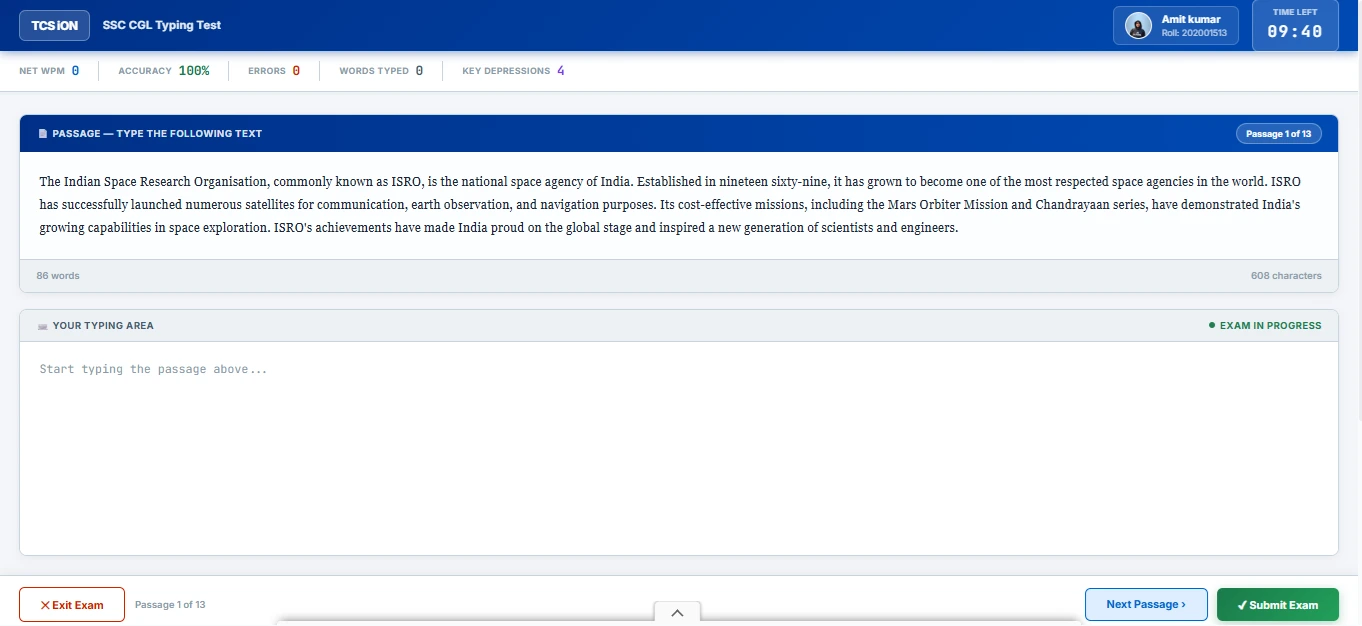
TCS iON Typing Test Interface Main Screen showing passage box and typing area

Our simulator replicates the real TCS iON exam lab screen — passage on top, typing area below.

If you’ve ever searched “TCS iON typing test online practice”, you’ve probably landed on a dozen generic typing websites that look nothing like the real exam. That’s exactly the problem this tool solves.

This simulator is built to mirror the actual TCS iON online assessment platform — the same software used by SSC, RRB, High Courts, CPCT, and dozens of state government boards to conduct typing skill tests. When you sit here and type, you’re experiencing:

  • Exact screen layout — Passage displayed in a fixed box on top, your typing area locked below, just like the real lab computer.
  • Live stats bar — Net WPM, Accuracy %, Error count, and Key Depressions updating in real time as you type.
  • Countdown timer — Starts the moment you click “Start Exam”. Turns red when only 60 seconds are left, exactly like the real interface.
  • Full exam mode — Your site navigation disappears. No distractions. Total focus, just like the real exam centre.
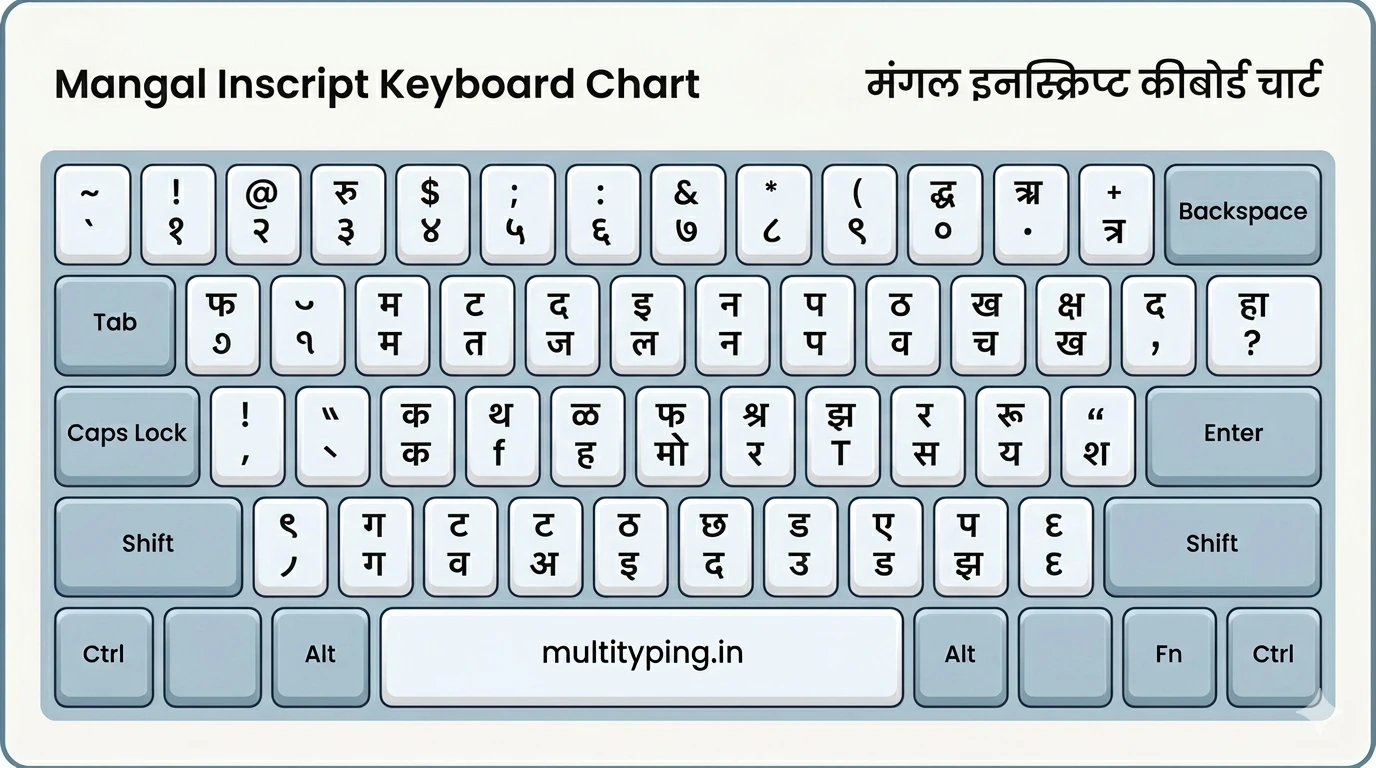
  • Both languages — English (QWERTY) and Hindi with both Mangal (InScript) and KrutiDev (Remington Gail) keyboard support.
  • Multiple passages — Practice with rotating paragraphs instead of the same boring text every time.
ℹ️
Your data is private. Your roll number, name, and photo (if uploaded) only exist in your browser memory for the session. Nothing is stored on our server.
📋 Official TCS iON Typing Exam Rules (What Nobody Tells You)

The real TCS iON exam has specific rules that most practice websites ignore. Here’s the official rulebook in plain English, so you’re never surprised on exam day.

ParameterOfficial TCS iON RuleWhat It Means for You
⌨️ Backspace KeyAllowed (enabled by default)You can correct mistakes, but every Backspace wastes time — minimise its use
📜 Editing LimitCurrent word onlyOnce you press Space and move to the next word, you cannot go back
📄 Paragraph ScrollAuto-scroll (manual locked)The passage moves on its own. You cannot manually scroll the passage box
⏱️ Speed DisplayedGross speed on screenWhat you see during the test is Gross WPM — your certificate shows Net WPM after deductions
📊 SSC CHSL Target1750 Key Depressions / 10 minThat equals roughly 35 WPM. You need both this speed AND 90%+ accuracy to clear
🔤 Keyboard Layout (EN)QWERTY onlyNo alternative English layouts permitted in the exam hall
🇮🇳 Keyboard Layout (HI)InScript (Mangal) or Remington Gail (KrutiDev)Select your layout before the exam starts — cannot be changed mid-exam
🖥️ HardwareStandard membrane keyboardsExam centres use wired desktop keyboards — practice on one, not a laptop
⚠️
Critical Rule Most Candidates Miss: You can only edit the word you are currently typing. The moment you press Space, that word is locked. There is no going back. This is why accuracy on each word matters more than raw speed.

🔙 The Backspace Truth — When to Use It & When to Let Go

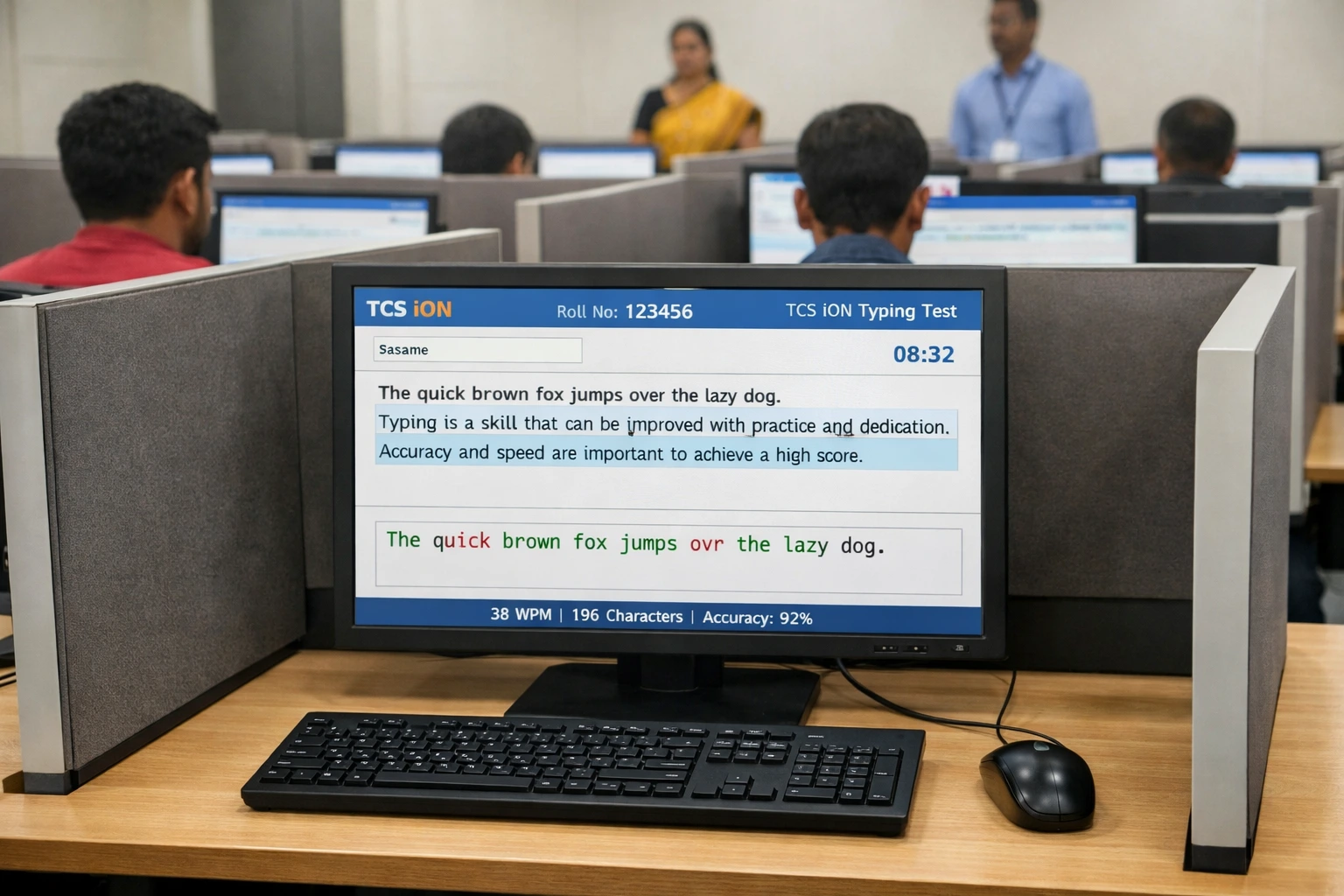
TCS iON Typing Backspace Policy Demonstration
Backspace is allowed but costs you time — speed is measured by net output, not gross keystrokes.
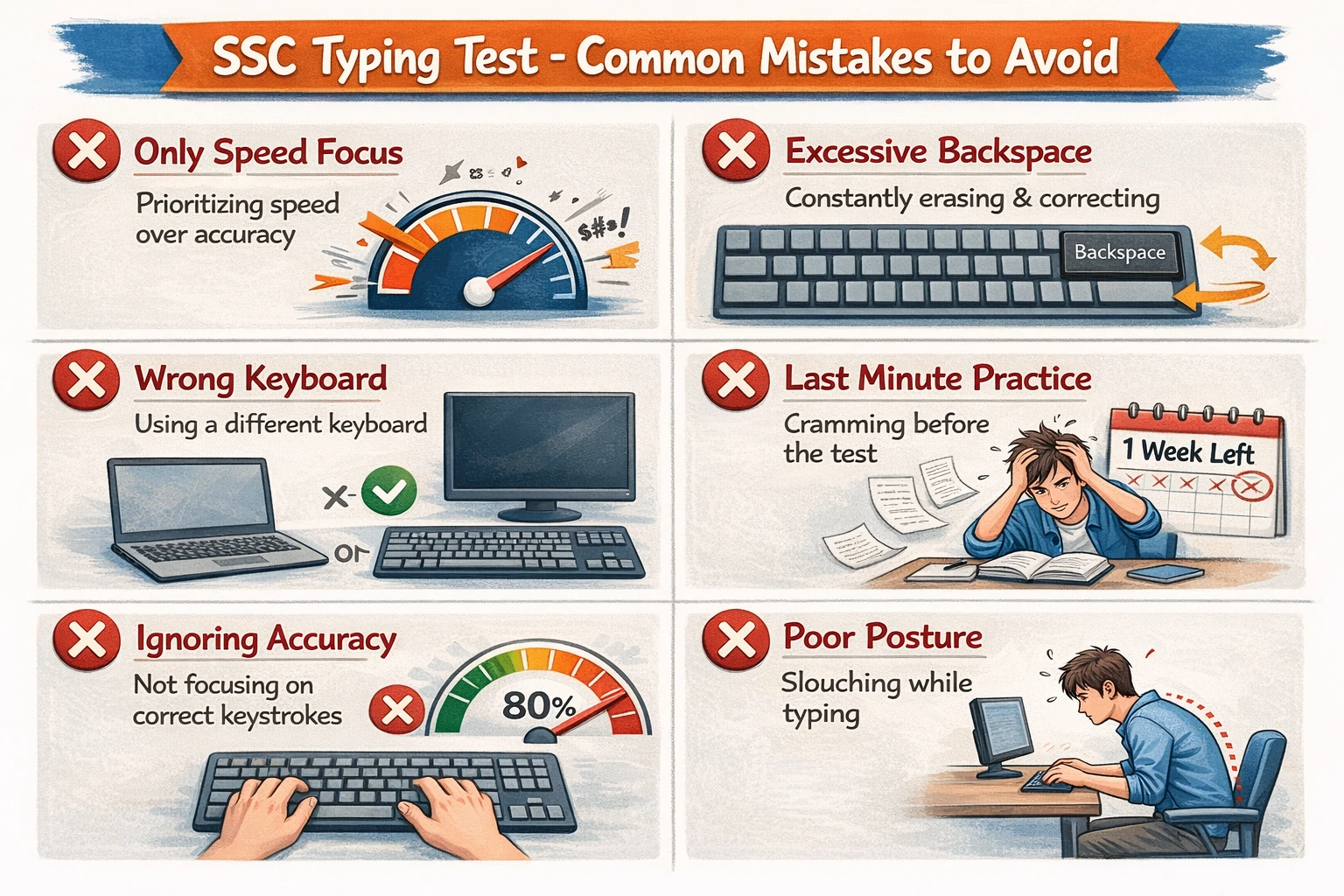
Common SSC Typing Test Mistakes that hurt your score
Most candidates lose marks on avoidable mistakes — not on speed, but on careless errors.

Here’s something that confuses a lot of candidates: backspace is allowed, but using it hurts you in two ways. First, it costs time. Second, your brain breaks its rhythm every time you reach for that key, which actually increases future errors.

The Smart Backspace Strategy

  • Use it for clear typos — If you typed “teh” instead of “the”, go back. Leaving a wrong word wastes more marks.
  • Never go back past a completed word — Once you’ve moved past a word, that error is locked in. Don’t waste time on it.
  • Train yourself to skip, not fix — In practice sessions, resist the urge to backspace. Your muscle memory will get cleaner over time.
  • 2-second rule — If correcting a mistake takes more than ~2 seconds, move on. The time cost outweighs the accuracy gain.
Pro tip: Set a personal rule — allow yourself a maximum of 1 backspace per line. After 30 days of practice, you’ll naturally type cleaner without needing to think about it.

📐 How Your Speed & Score Are Actually Calculated

This is the part most candidates never understand until after their result — and by then it’s too late. Let’s break it down simply.

🔢 Gross Speed Gross WPM = Total Characters Typed ÷ 5 ÷ Time (in minutes)
📉 Net Speed (What Actually Counts) Net WPM = [ (Total Keystrokes ÷ 5) − (Full Mistakes + Half Mistakes ÷ 2) ] ÷ Time (in minutes)
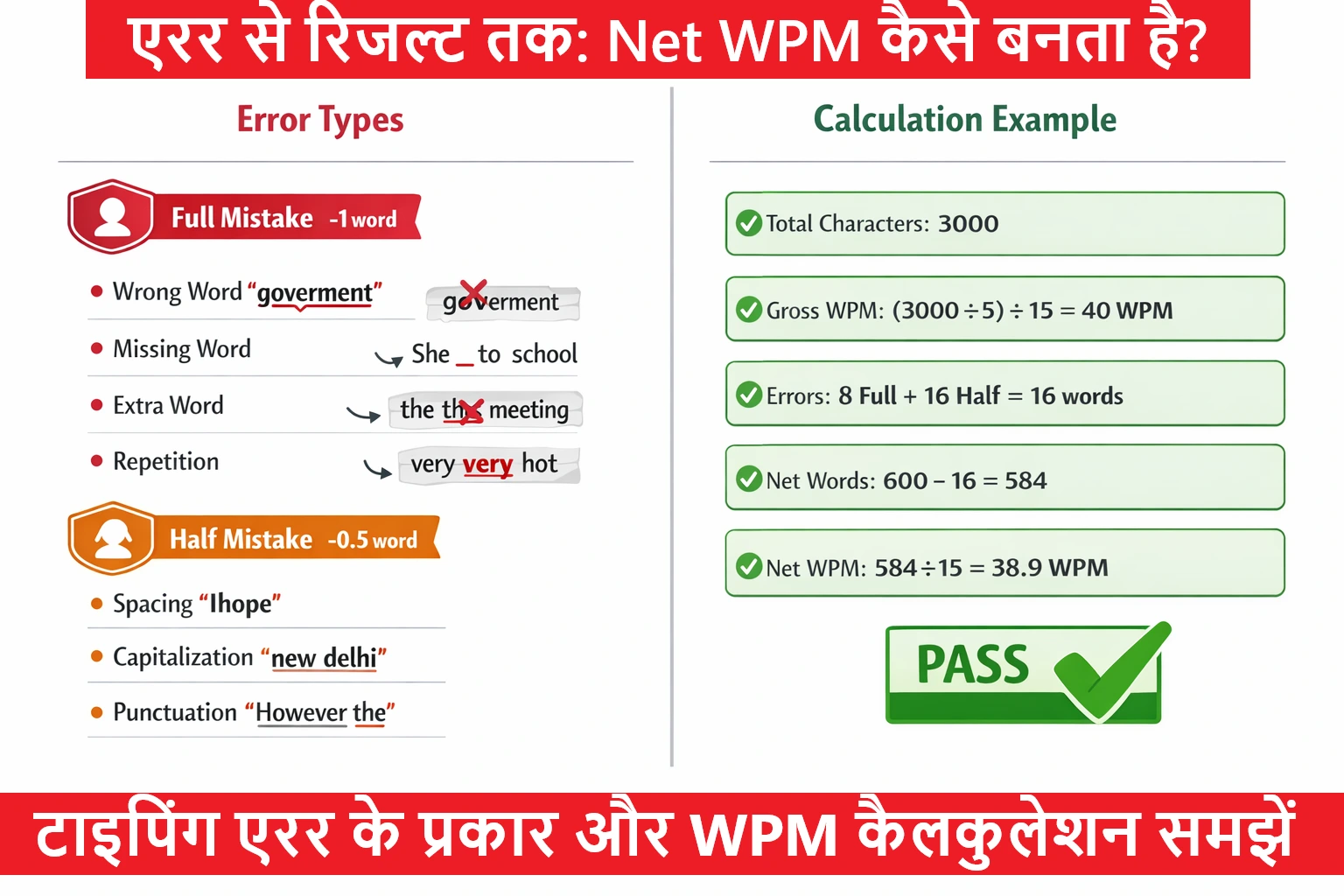
Mistake TypeExamplesPenalty
🔴 Full MistakeOmitted word, substituted word, extra word addedFull word deducted from net score
🟡 Half MistakeWrong capitalisation, extra space, missing space, minor spelling variationHalf word deducted

Real Example: You type 350 words in 10 minutes with 15 Full Mistakes and 10 Half Mistakes:

📊 Calculation Gross WPM = 350 ÷ 10 = 35 WPM
Net WPM = 35 − (15 + 10÷2) = 35 − 20 = 15 WPM ← You just failed!
⚠️
Accuracy is everything. A candidate typing at 50 WPM with 20% errors will score lower than someone typing at 38 WPM with 98% accuracy. Always chase accuracy first — speed naturally follows.
SSC Typing Test Error Types Calculation Chart showing Full Mistake vs Half Mistake impact on net score

Visual breakdown of Full vs Half mistakes and their real impact on your net score.

🇮🇳 Hindi Typing — Mangal (InScript) vs KrutiDev (Remington Gail)

If you’re appearing for a Hindi typing test, the first decision is your keyboard layout. This simulator supports both — and they are completely different. Choosing the wrong one on exam day means you type English characters instead of Hindi. Don’t let that happen.

Mangal InScript Keyboard Layout Diagram for Hindi Typing Test
Mangal (InScript / Unicode) — recommended for modern Unicode-based exams
KrutiDev Remington Gail Keyboard Layout for Government Typing Exams
KrutiDev / Remington Gail — used in legacy exams like CPCT, some state boards
FeatureMangal — InScriptKrutiDev — Remington Gail
Font TypeUnicode (Devanagari)Legacy ASCII font
Used InSSC CGL/CHSL, RRB NTPC, High Courts (modern), UP PoliceCPCT, MP Vyapam, State PSC exams, older High Courts
Learning CurveModerate — logical phonetic mappingSteeper — no phonetic logic, muscle memory only
Future Relevance✅ Government standard going forward⚠️ Being phased out slowly
💡
Which should you learn? If your notification mentions KrutiDev or Remington Gail — learn that. For all other Hindi exams, go with Mangal (InScript) as it is the Government of India’s official Unicode standard.

🚀 How to Get the Most Out of This Simulator (Step-by-Step)

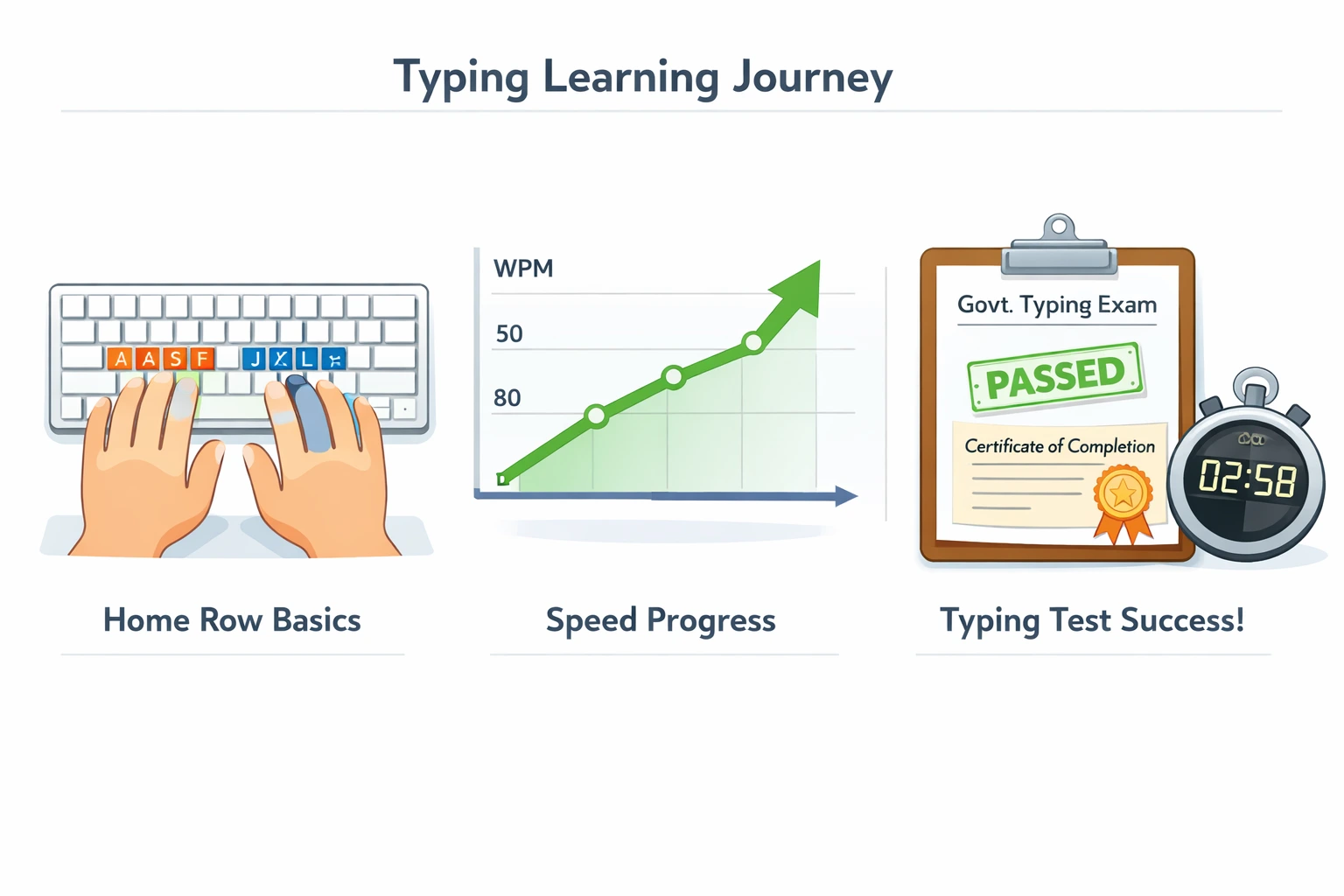
Daily typing practice routine with exam mode tips

Consistent daily practice in exam mode is the #1 predictor of clearing a government typing test.

Most candidates practice typing but never practice exam typing — and there’s a big difference. Here’s how to use this tool the right way:

  1. Enter your real Roll No and Name — Train yourself to complete the registration step quickly. In the real exam, candidates waste 2–3 minutes fumbling with the form. Doing it here builds that muscle memory.
  2. Select your actual exam language and layout — For SSC CHSL English, select English. For CPCT Hindi, select Hindi → KrutiDev. Always match your target exam.
  3. Set duration to match your actual exam — SSC CHSL is 10 minutes. Don’t practice 5-minute sessions if your exam is 10 minutes. Mental endurance is very different.
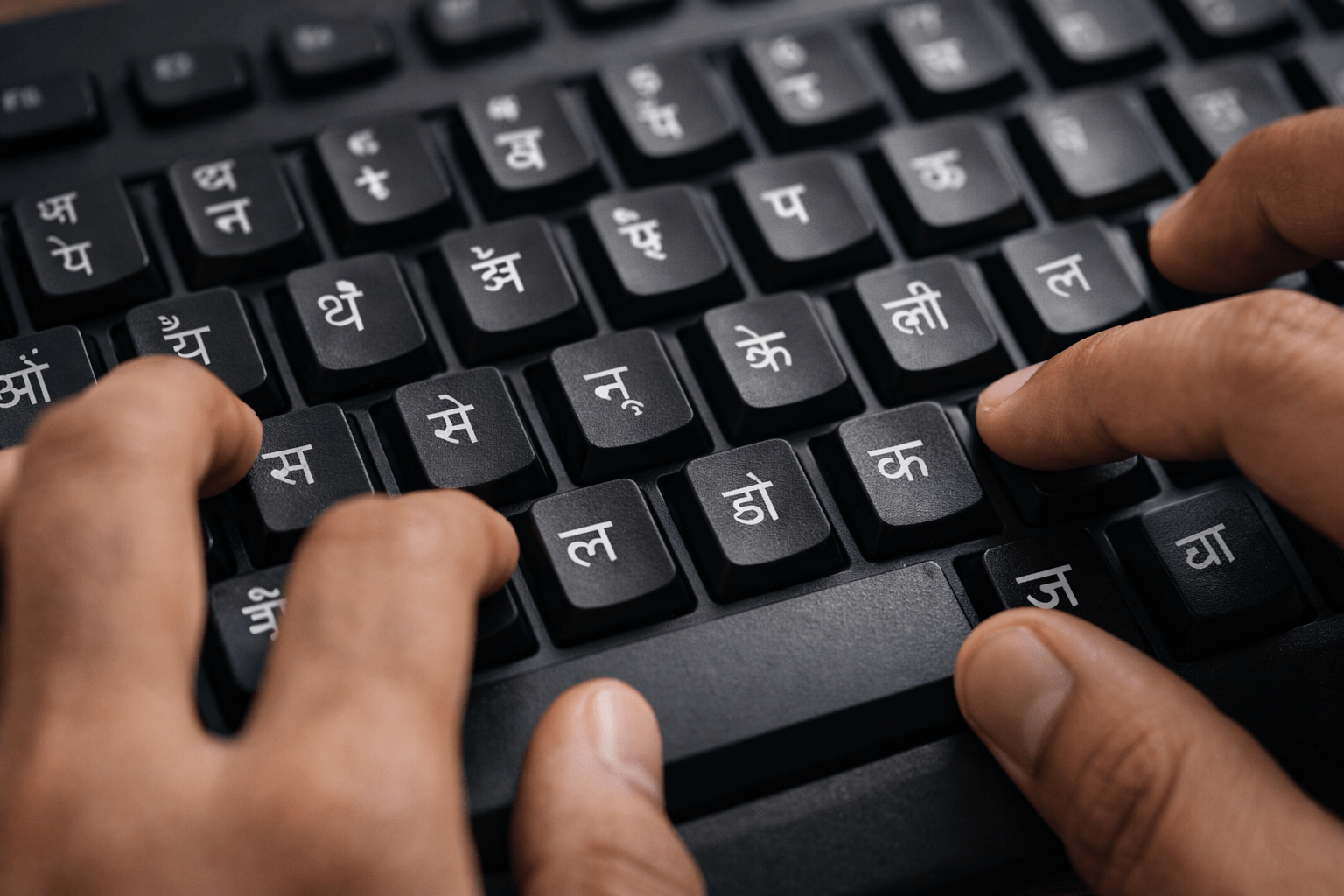
  4. Don’t look at your fingers while typing — Keep your eyes on the passage, not your hands. This is the single most important habit for reaching 95%+ accuracy.
  5. Check your scorecard honestly — After submitting, look at Key Depressions first. Below 1750 KD for 10 minutes means your raw speed is the issue. Fine KD but low accuracy means focus on error reduction.
  6. Take 3 timed tests daily, not marathon sessions — Three focused 10-minute exam-mode tests beat 2 hours of casual typing. Quality over quantity, always.
🎯
The 30-day rule: Most candidates who start at 20–25 WPM reach exam-level speed (35+ WPM for English, 30+ WPM for Hindi) within 30 days of consistent daily practice. The key word is consistent, not fast.

❓ Frequently Asked Questions

Yes, backspace is allowed in most TCS iON based exams including SSC CHSL and CGL. However, you can only edit the word you are currently typing. Once you press the spacebar and move to the next word, you cannot go back. Every backspace also consumes time and disrupts your typing rhythm, which lowers your effective Net WPM. Best practice is to minimise backspace use and train for clean typing from the beginning.
For SSC CHSL, the official requirement is 1750 Key Depressions per hour (approximately 35 WPM) for English typing, and 1000 Key Depressions per hour (approximately 30 WPM) for Hindi typing. These figures are for Net Speed after deducting errors. Candidates must also maintain a minimum accuracy level, generally 90% or above. Always refer to the official SSC notification for the exact cutoff for your specific exam year.
No, you cannot manually scroll the passage in the real TCS iON exam. The passage box uses an auto-scroll system that automatically moves down to show the relevant portion of text as you type. The scrollbar is typically disabled or hidden. This is why candidates who only practice on regular typing websites struggle in the real exam. Our simulator also uses auto-scroll so you get realistic practice.
Key Depression (KD) is the total count of individual key presses made during the test. Every key you press counts as one key depression. WPM is a calculated metric where every 5 characters equals one word. SSC specifies its typing requirement in Key Depressions per hour (e.g., 1750 KD/hour) because it is a more objective measure. In this simulator, your live Key Depressions are shown in the stats bar during the test and in the final scorecard.
It depends on which exam you are targeting. Always read your official recruitment notification carefully. General rule: SSC, RRB, High Courts (modern), and UP Police use Mangal (InScript / Unicode). CPCT, some state-level PSC exams, and older government institutions may require KrutiDev (Remington Gail). Never assume — using the wrong layout on exam day means you will type English characters instead of Hindi.
For most beginners starting at 10-15 WPM, reaching 35 WPM with 90%+ accuracy typically takes 4-8 weeks of consistent daily practice (1-1.5 hours per day). The timeline depends on how often you practice, whether you use correct finger placement from day one, and whether you practice in timed exam-mode simulation. Candidates who skip the basics often stay stuck at 20-25 WPM for months. Start right, and the results come faster.

Ready to Test Yourself?

Scroll back to the top, enter your details, and start a full 10-minute mock exam right now. No signup, no download, completely free.