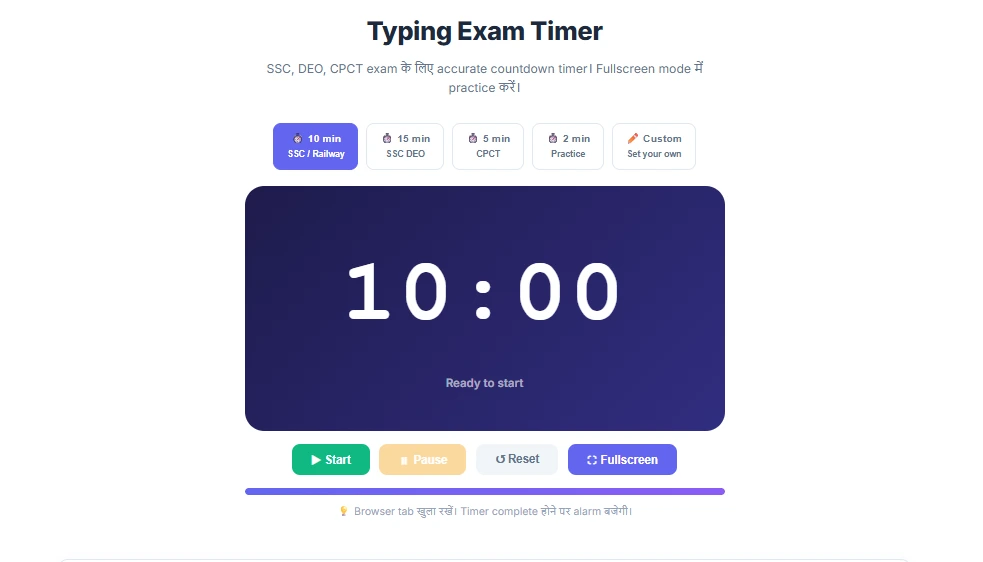
Typing Exam Timer
SSC, DEO, CPCT exam के लिए accurate countdown timer। Fullscreen mode में practice करें।
💡 Browser tab खुला रखें। Timer complete होने पर alarm बजेगी।
Mastering Typing Speed Under Pressure: The Ultimate Typing Exam Timer Guide
Typing casually while chatting online is vastly different from typing under an uncompromising, high-stakes countdown. The number one reason candidates fail their skill tests—despite having adequately fast fingers—is psychological pressure. Known colloquially as "Clock Anxiety," this phenomenon causes your heart rate to spike and your hands to tremble the moment a timer begins ticking. Our Typing Exam Timer is engineered to help you acclimatize to this exact pressure by simulating the official countdown interfaces used by major Indian recruitment boards.
Understanding Official Time Limits for Indian Government Exams
You cannot practice blindly. Different departments execute their tests within completely different timeframes. Practicing a 2-minute burst won't help you survive a 15-minute marathon. Here is a breakdown of what to expect:
- SSC CHSL (LDC/JSA): Exactly 10 minutes. During this window, English candidates must type 1,750 keystrokes (35 WPM), while Hindi candidates must hit 1,500 keystrokes (30 WPM).
- SSC CGL (Data Entry Operator - DEO): A gruelingly precise 15-minute test. In this duration, you are required to input roughly 2,000 to 2,200 key depressions to pass the strict 8,000 KPH benchmark.
- Railway RRB NTPC: Typically a 10-minute test. RRB is infamous for its rigid software rules, meaning your 10-minute stamina must be flawless.
- CPCT (Computer Proficiency Certification Test - MP): English and Hindi modules are tested individually, each given a 15-minute block. Endurance is key here.
The Importance of the Fullscreen Simulator
In official TCS-iON or NTA exam centers, you do not sit in front of a standard Windows desktop. You are forced into a locked browser environment that occupies your entire screen. We built a native Fullscreen Mode into this timer to replicate that isolation. Practicing in fullscreen trains your peripheral vision not to wander toward taskbars, social media notifications, or other browser tabs. It forces absolute, unbroken concentration resulting in higher net speeds.
How to Maximize Your Practice Sessions Using This Tool
- Step 1 (Select Preset): Determine your target exam and select the corresponding preset button (10 min for SSC, 15 min for DEO/CPCT). The system will calibrate immediately.
- Step 2 (Engage Fullscreen): Click the ⛶ Fullscreen button to immerse yourself visually. Eliminate all external classroom or bedroom distractions.
- Step 3 (Start & Ignore): Press "Start." From this second onward, strictly discipline your eyes to remain glued to the source paper or source text. Refuse the urge to glance at the descending seconds.
- Step 4 (Stop on Alarm): Ensure your computer audio is active. A distinct multi-tone alarm will chime when the clock strikes 00:00. Stop typing immediately, regardless of where you are in the sentence.
Overcoming Clock Anxiety
Clock anxiety destroys accuracy. It occurs when a typist realizes there is only 1 minute left and suddenly attempts to type twice as fast to finish incomplete lines. This panic generates massive penalty errors, ultimately dragging the Net WPM below passing marks. Utilizing our timer daily rewires your brain to interpret the countdown as a pacing tool rather than a threat, ensuring a smooth rhythm from the first second to the last bell.