Font Size का सवाल - क्यों Important है?
दोस्तों, मैं अमित कुमार हूँ और आज मैं एक बहुत practical question का answer दूंगा जो बहुत से typing test candidates के मन में होता है - 'Typing test में font size change कर सकते हैं या नहीं?' यह सवाल उतना trivial नहीं है जितना लगता है। क्यों? क्योंकि font size directly आपकी typing comfort और performance को affect करती है। अगर screen पर text बहुत छोटा है और आपको पढ़ने में difficulty हो रही है, तो आपकी speed slow हो जाएगी और errors बढ़ेंगी। खासकर वो candidates जिनकी eyesight थोड़ी weak है या जो चश्मा पहनते हैं, उनके लिए यह बहुत critical concern है। मुझे याद है एक student ने मुझसे कहा था - 'अमित sir, मैं practice में तो 38 WPM type कर लेता हूँ लेकिन exam hall में font इतना छोटा था कि मुझे squint करके पढ़ना पड़ रहा था। Result में सिर्फ 32 WPM आई।' यह बहुत unfortunate था。
तो आज मैं इस topic को completely cover करूंगा - क्या government typing tests में font size change करने की facility होती है, अगर हाँ तो कैसे, अगर नहीं तो क्या alternatives हैं, different exam conducting bodies (SSC, Railway, Banking) के क्या rules हैं, और most importantly - अगर font size adjust नहीं कर सकते तो कैसे cope करें। साथ ही मैं अपने personal experience और मेरे students के experiences भी share करूंगा ताकि आपको real-world scenario का idea मिले। यह guide आपको complete clarity देगी और आप exam day पर किसी भी situation के लिए prepared रहेंगे। तो चलिए शुरू करते हैं इस detailed analysis!
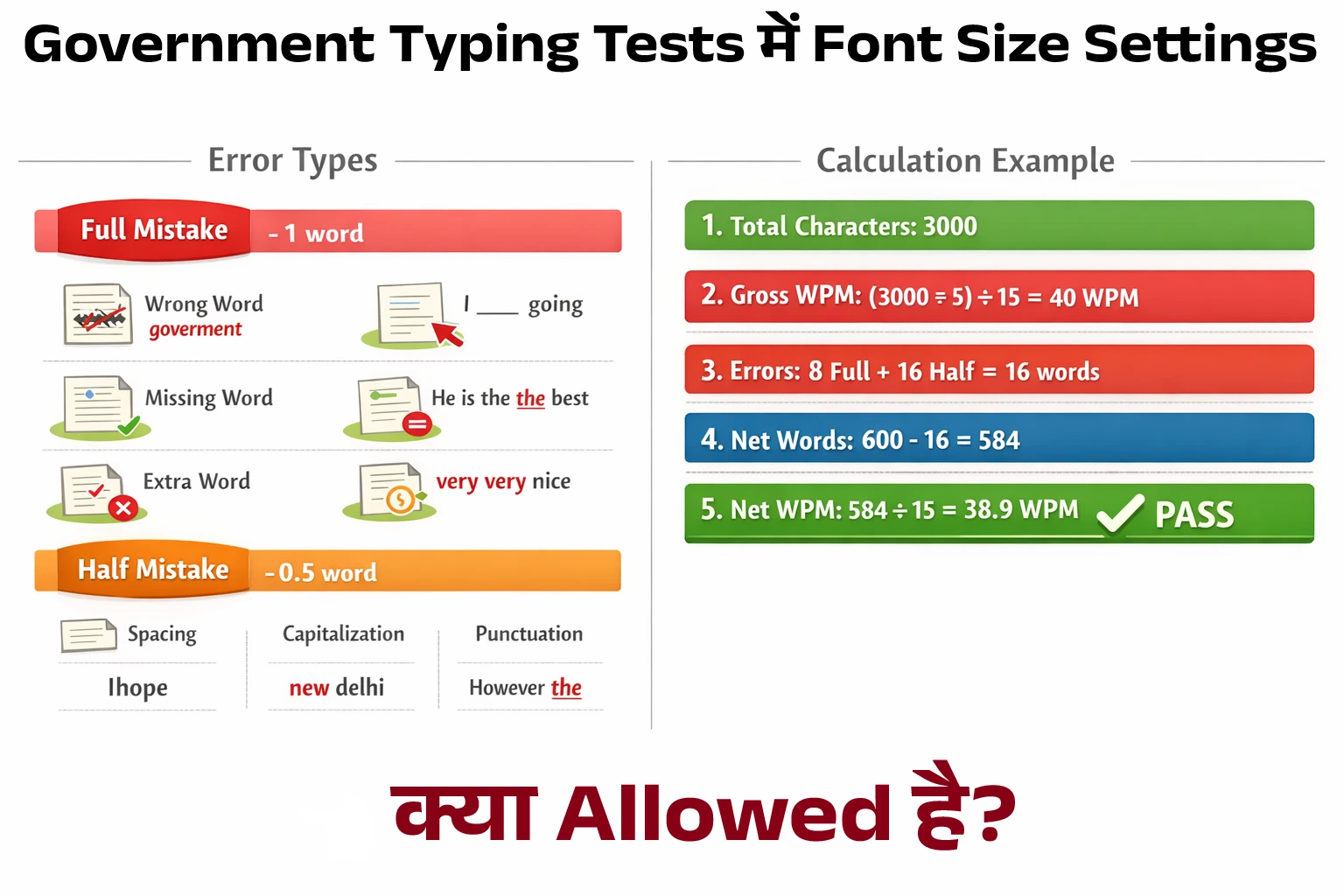
Typing Test Interface - Font Size और Display Settings
Government Typing Tests में Font Size Settings - क्या Allowed है?
SSC Typing Test - Interface और Options
SSC (Staff Selection Commission) की typing tests में generally एक standardized interface use होता है। SSC CGL और CHSL typing test computer-based होते हैं जहां एक specific software में test conduct होता है। अब सवाल है - क्या इस software में font size change करने का option होता है? Official answer: Generally नहीं। SSC के typing test software में built-in font size change option नहीं होता है interface में। आपको जो passage screen पर दिखता है, वो एक pre-set font size में होता है - usually 12pt या 14pt, जो standard readable size है। Interface में कोई dropdown menu नहीं होता 'Font Size' change करने के लिए। यह intentional design है ताकि सभी candidates के लिए same testing conditions रहें। अगर किसी को font size बढ़ाने की permission दे दी जाए और किसी को नहीं, तो यह unfair advantage बन सकता है।
लेकिन यहां एक important point है - Browser-level zoom option sometimes काम करता है। चूंकि test browser-based होता है (Chrome, Firefox, etc.), तो technically आप browser के Ctrl + Plus (zoom in) या Ctrl + Minus (zoom out) shortcuts try कर सकते हैं। कुछ exam centers में यह work करता है, कुछ में software इसे disable कर देता है। यह center और specific software version पर depend करता है। मेरे कुछ students ने बताया कि उन्होंने exam में Ctrl + Plus दबाया और font थोड़ा बड़ा हो गया। लेकिन कुछ ने कहा कि कोई effect fixed हुआ - software locked था। तो यह guaranteed solution नहीं है। मेरी recommendation: Exam से पहले invigilator से पूछ लें कि क्या zoom allow है। अगर हाँ, तो ठीक। अगर नहीं, तो default font size के साथ ही practice कर लें पहले से।
Railway और Banking Exams - Similar Restrictions
Railway Recruitment Board (RRB) की typing tests में भी similar situation है। Interface generally locked होता है और font size change करने का direct option नहीं होता। हाँ, कुछ modern RRB centers में accessibility features हो सकते हैं जहां visually impaired candidates के लिए special provisions हैं - जैसे magnification software। लेकिन यह सिर्फ PWD (Persons with Disabilities) category के candidates के लिए है, general category के लिए नहीं। Banking exams (IBPS, SBI) में भी typing test होते हैं कुछ posts के लिए। यहां भी generally font size fixed होती है। लेकिन banking exams में कभी-कभी थोड़ा flexibility होती है - कुछ centers में invigilator की permission से screen resolution adjust कर सकते हैं जो indirectly font size को affect करता है। लेकिन यह हर center पर available नहीं है।
State PSC Exams में variety बहुत है। कुछ states modern software use करते हैं जिनमें accessibility features built-in होते हैं। कुछ states older systems use करते हैं जो completely locked होते हैं। State government typing tests के लिए specific notification में यह mention होता है कि कौन सी facilities available हैं। Generally rule यही है - सभी candidates के लिए same standard conditions। Special accommodation सिर्फ medical grounds पर, proper documentation के साथ। अगर आपको genuinely vision problem है, तो exam से पहले proper medical certificate submit करें और request करें larger font या magnification के लिए। यह legitimate request है और generally accommodate की जाती है।
Browser Zoom और Screen Resolution - Workarounds
Browser Zoom Shortcuts - क्या Work करते हैं?
चलिए थोड़ा technical हो जाते हैं और समझते हैं कि browser zoom exactly काम कैसे करता है। जब आप Ctrl + Plus (या Ctrl + Mouse Scroll Up) press करते हैं, तो browser का zoom level increase होता है - 100% से 110%, 125%, 150% etc। इससे पूरा webpage बड़ा दिखने लगता है - text, images, सब कुछ। Similarly, Ctrl + Minus से zoom out होता है। और Ctrl + 0 (zero) से default 100% zoom पर वापस आ जाते हैं। अब सवाल - क्या typing test software में यह work करेगा? यह depend करता है कि software कैसे designed है। अगर यह pure web-based application है (HTML/CSS में बना है), तो browser zoom affect करेगा। लेकिन अगर यह एक embedded application है या special plugin use करता है, तो zoom disable हो सकता है।
मेरे personal observation से - लगभग 60-70% exam centers में browser zoom work करता है। बाकी 30-40% में या तो software इसे block करता है या फिर zoom करने पर layout disturb हो जाता है (text overlap हो जाता है, buttons hide हो जाते हैं)। तो यह एक hit-or-miss situation है। Practical tip: Exam की practice session में (जो generally test से पहले 2-3 minutes दी जाती है) quickly try कर लें Ctrl + Plus। अगर font size बढ़ी और comfortable लगी, तो use करें। अगर layout बिगड़ गया या कोई effect नहीं हुआ, तो default पर रहें। लेकिन यह experiment main test start होने से पहले कर लें, बीच में नहीं। बीच में experimenting से precious seconds waste होंगे और panic भी हो सकता है।
Screen Resolution और Display Settings
कुछ candidates सोचते हैं - 'क्या मैं screen resolution change कर सकता हूँ ताकि सब कुछ बड़ा दिखे?' Technically, हाँ - lower resolution set करने से सब कुछ बड़ा दिखता है। जैसे अगर monitor 1920x1080 resolution पर है और आप इसे 1366x768 पर set कर दें, तो सब कुछ zoomed-in दिखेगा। लेकिन exam hall में यह practically possible नहीं है। क्यों? (1) आपको system settings में जाने की permission नहीं होती। Test software lockdown mode में होता है जहां सिर्फ test window accessible होती है। (2) अगर किसी तरह settings access भी मिल जाए, तो resolution change करने में time लगता है और invigilator notice करेगा। (3) Resolution change से पूरे system का display affect होता है जो दूसरे candidates या center को disturb कर सकता है। इसलिए यह viable option नहीं है।
एक और aspect है - monitor distance। अगर monitor बहुत दूर है, तो text छोटा लगेगा। कुछ centers में monitors fixed होते हैं (built-in desk setup), कुछ में movable। अगर movable है और आपको लगता है कि monitor को थोड़ा पास लाने से comfortable होगा, तो invigilator से politely पूछ सकते हैं। Generally यह allowed होता है क्योंकि यह reasonable request है और किसी को unfair advantage नहीं देती। मेरे एक student ने बताया कि exam में उसने monitor को 2-3 inches पास खींचा और immediately comfortable feel हुआ। Font size तो same थी लेकिन viewing distance कम होने से readable लगने लगा। यह simple physical adjustment बहुत helpful हो सकती है। Proper viewing distance और posture typing performance को significant तरीके से affect करते हैं।

Typing Test - Font Size Issues के Alternative Solutions
अगर Font Size Change नहीं कर सकते - तो क्या करें?
Pre-Exam Preparation - Different Font Sizes में Practice
सबसे best approach है कि आप practice में ही different font sizes के साथ comfortable हो जाएं। multityping.in पर practice करते समय अपने browser की zoom setting change करके देखें। कभी 100% zoom पर practice करें, कभी 90% (smaller font), कभी 110% (larger font)। यह versatility develop करेगा। जब exam में जो भी font size मिले, आपको unfamiliar नहीं लगेगा - 'मैंने इस size पर भी practice की है'। यह psychological comfort बहुत valuable है। साथ ही अगर possible हो तो actual exam center visit करें exam से पहले (कुछ centers allow करते हैं preview/demo sessions)। वहां की screen और font size देख लें। फिर घर आकर उसी size में practice करें। यह targeted preparation होगी।
Vision Correction - Glasses (चश्मा) और Lenses
अगर आपको vision problem है, तो proper eyewear बहुत important है। यह सिर्फ typing test के लिए नहीं, बल्कि overall health के लिए भी जरूरी है। अगर आप चश्मा पहनते हैं लेकिन वो outdated prescription का है (2-3 years पुराना), तो exam से पहले eye check-up करवाएं और नया चश्मा बनवाएं अगर जरूरत हो। चश्मे का lens coating भी matter करती है - anti-glare coating screen work के लिए बहुत helpful होती है। यह computer screen से आने वाली harmful blue light को reduce करती है और eyes को strain से बचाती है। कुछ लोग contact lenses prefer करते हैं exam में क्योंकि उनमें peripheral vision better होती है और कोई frame distraction नहीं होता। यह personal choice है - जो comfortable लगे वो use करें।
Eye Exercises और Rest
Exam day से कुछ days पहले और especially exam day की morning eye exercises जरूर करें। Simple exercises जैसे: (1) Palming: हाथों को रगड़कर गर्म करें और फिर eyes के ऊपर रखें 30 seconds के लिए। यह eyes को relax करता है। (2) Focus Change: पास की कोई चीज देखें 10 seconds, फिर दूर की कोई चीज 10 seconds। यह 5-6 बार repeat करें। यह eye muscles को flexible रखता है। (3) Eye Rolling: Clockwise और anti-clockwise eye movements। यह circulation improve करता है। (4) Blinking: Consciously 10-15 बार झपकें। Computer work में हम कम blink करते हैं जिससे eyes dry हो जाती हैं। Proper blinking moisture maintain करती है। Exam से एक रात पहले proper 7-8 hours की नींद लें। Tired eyes properly focus नहीं कर पातीं चाहे font size कितनी भी बड़ी हो।
Practice Platform Settings - multityping.in का Use
Customizable Practice Environment
multityping.in पर practice करते समय आप अपनी screen settings को customize कर सकते हैं जो exam preparation के लिए बहुत useful है। Browser के zoom feature का use करके आप जो भी font size comfortable लगे उसमें practice कर सकते हैं। साथ ही यह platform responsive है - मतलब अलग-अलग screen sizes पर properly display होता है। आप laptop पर practice कर रहे हैं, desktop monitor पर, या tablet पर - हर जगह text readable होता है। यह flexibility आपको different display conditions में comfortable होने में help करती है। मेरी recommendation: हफ्ते में एक बार deliberately uncomfortable settings में practice करें - छोटे font size पर, या थोड़े dim screen brightness पर। यह challenge करेगा आपको और adaptability बढ़ाएगा। जब exam में perfect conditions नहीं मिलेंगी (जो अक्सर होता है), तो आप easily adapt कर पाएंगे।
Multiple Device Practice
अगर possible हो तो different devices पर practice करें। कभी laptop पर (छोटी screen, 14-15 inch), कभी desktop monitor पर (बड़ी screen, 20-22 inch), कभी tablet पर (medium screen, 10 inch)। यह variety आपको prepare करेगी कि exam center में जो भी screen मिले, आप उससे cope कर पाएं। मैंने अपने एक student से सुना - उसने हमेशा अपने 24-inch monitor पर practice की थी जहां font बहुत बड़ा और clear था। Exam center में 17-inch monitor था जहां सब कुछ छोटा लग रहा था। Initial 3-4 minutes में वो uncomfortable feel कर रहा था और speed slow हो गई। यह avoidable था अगर उसने varied screen sizes पर practice की होती। Different devices पर practice आपकी overall versatility बढ़ाती है।
Special Accommodations - Medical Grounds पर Request
PWD और Visually Impaired Candidates
अगर आप PWD (Persons fixed Disabilities) category से belong करते हैं और vision impairment है, तो आपको special accommodations मिल सकती हैं। SSC, Railway, और अन्य government bodies के clear guidelines हैं PWD candidates के लिए। Vision impairment के cases में generally ये facilities provide की जाती हैं: (1) Magnification Software: Screen reading software जो text को magnify करता है। (2) Extended Time: कुछ cases में extra time भी दिया जाता है। (3) Scribe Facility: अगर vision loss severe है, तो scribe की facility भी है जो आपकी dictation लेगा। Process: Application के समय ही PWD category declare करनी होती है। Medical certificate submit करना होता है authorized medical authority से। फिर exam conducting body assess करती है और appropriate accommodations allocate करती है। यह सब proper documentation के साथ होता है - randomly exam day पर जाकर नहीं माँग सकते।
General Category - Medical Certificate
अगर आप general category से हैं लेकिन genuine medical issue है (जैसे recent eye surgery, severe myopia, etc.), तो भी आप prior intimation देकर special accommodation request कर सकते हैं। यह guaranteed नहीं है कि मिलेगा, लेकिन try करने में कोई harm नहीं। Process: (1) Exam से कम से कम 2-3 weeks पहले exam conducting body को written request भेजें। (2) Medical certificate attach करें registered medical practitioner से। (3) Specifically mention करें कि आपको क्या facility चाहिए - larger font, brighter screen, extended time, etc। (4) Request letter में अपना roll number, exam details clearly लिखें। Exam body आपकी request को evaluate करेगी और possible हुआ तो accommodate करेगी। मेरे एक student को यह facility मिली थी - उसकी eye surgery हुई थी exam के 1 month पहले। उसने proper medical documentation के साथ request की और उसे larger font size वाले system पर test देने की permission मिली। तो यह possible है, लेकिन proper process follow करनी होती है।
Frequently Asked Questions
क्या SSC typing test में font size change कर सकते हैं?
Generally SSC typing test software में built-in font size change option नहीं होता। Font size pre-set होती है (usually 12-14pt)। लेकिन कुछ centers में browser zoom (Ctrl + Plus/Minus) work कर सकता है। यह guaranteed नहीं है - center और software version पर depend करता है। Best approach है कि exam से पहले invigilator से पूछ लें कि क्या zoom allowed है। साथ ही practice में different font sizes के साथ comfortable हो जाएं ताकि exam में जो भी size मिले, आप adapt कर सकें।
Browser zoom shortcuts typing test में काम करते हैं?
यह exam software पर depend करता है। Ctrl + Plus (zoom in) और Ctrl + Minus (zoom out) shortcuts लगभग 60-70% centers में work करते हैं। बाकी centers में या तो software इसे block करता है या zoom करने पर layout disturb हो जाता है। Exam की practice session में (test start होने से पहले जो 2-3 minutes मिलते हैं) quickly try कर लें। अगर comfortable लगा तो use करें, नहीं तो default settings पर रहें। Main test के बीच में experiment मत करें।
अगर मुझे vision problem है तो क्या special facility मिल सकती है?
हाँ, अगर आप PWD category से हैं और vision impairment documented है, तो magnification software, extended time, या scribe facility मिल सकती है। General category में भी genuine medical issues के लिए special accommodation request कर सकते हैं। Process: Exam से 2-3 weeks पहले exam conducting body को written request भेजें proper medical certificate के साथ। Specifically mention करें कि क्या facility चाहिए। यह guaranteed नहीं है लेकिन proper documentation के साथ generally consider किया जाता है।
Practice में किस font size पर prepare करना चाहिए?
Practice में variety रखें। कभी standard 12pt font पर practice करें, कभी 10pt (smaller), कभी 14pt (larger)। multityping.in पर browser zoom का use करके different sizes में practice कर सकते हैं। यह versatility develop करेगा। साथ ही अगर possible हो तो exam center visit करें पहले और वहां की actual font size देखकर उसी में targeted practice करें। Different devices (laptop, desktop, tablet) पर भी practice करें ताकि varied screen sizes के साथ comfortable हों।
Exam में monitor की position adjust कर सकते हैं?
यह center setup पर depend करता है। कुछ centers में monitors fixed होते हैं (built-in desk), कुछ में movable। अगर movable है तो आप invigilator से politely पूछ सकते हैं कि क्या monitor को थोड़ा पास या adjust कर सकते हैं। Generally यह reasonable request है और allowed होती है। Monitor को पास लाने से viewing distance कम होती है जो font को बड़ा feel कराती है। साथ ही proper posture और viewing angle typing performance को improve करते हैं।
निष्कर्ष - Font Size से घबराएं नहीं, Prepare रहें
दोस्तों, typing test में font size change करने का सवाल मैंने detail में cover किया है। Summary: (1) Generally government typing tests में built-in font size change option नहीं होता - यह fairness के लिए है। (2) Browser zoom कुछ centers में work करता है - लेकिन guaranteed नहीं है। Exam में practice session में try कर सकते हैं। (3) PWD और medical grounds पर special accommodations possible हैं - proper documentation और prior request के साथ। (4) Best approach है varied font sizes में practice करना - ताकि exam में जो भी condition मिले, आप adapt कर सकें। (5) Physical adjustments help करती हैं - monitor position, proper eyewear, viewing distance। (6) Eye health maintain करें - exercises, adequate sleep, proper vision correction।
मेरी personal advice - font size को एक excuse या problem मत बनाएं। हाँ, comfortable font size helpful है लेकिन ultimately यह आपकी typing skill है जो matter करती है। अगर आपने proper practice की है, touch typing सीखी है, और consistent effort दी है, तो थोड़े font size variation से आपकी performance drastically affect नहीं होगी। Prepare रहें different conditions के लिए, adaptable बनें, और confidently exam दें। और हाँ, अगर genuine medical issue है तो proper channels के through request जरूर करें - यह आपका right है। All the best for your typing test! 🔍💪