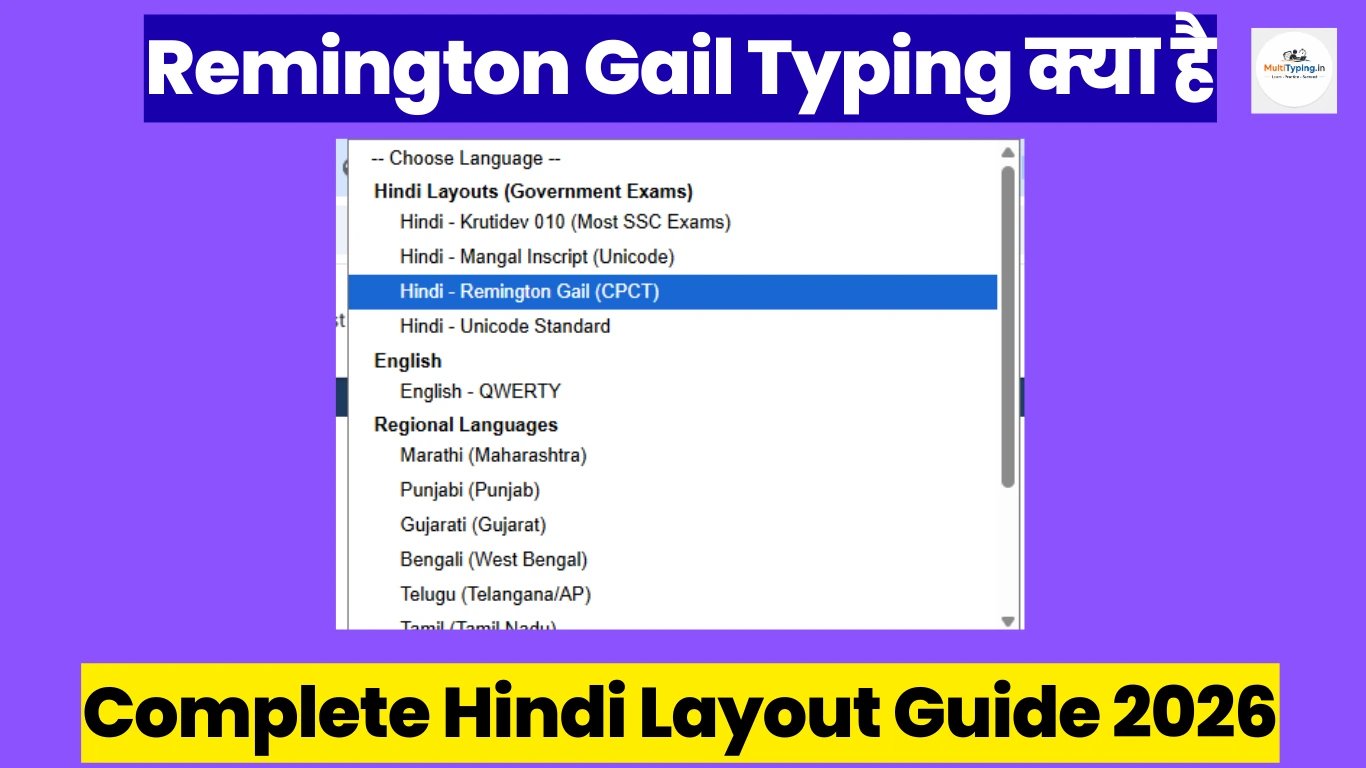
Remington Gail Layout Kya Hai? (What is Remington Gail)
Remington Gail एक बेहद popular Hindi typing layout है जो traditional typewriter युग से चला आ रहा है। यह layout specifically Hindi भाषा के लिए design किया गया था और आज भी कई सरकारी परीक्षाओं और offices में widely use होता है। Remington Gail का नाम famous Remington typewriter company से लिया गया है जिसने इस layout को standardize किया था।
इस layout की खासियत यह है कि इसमें Hindi वर्णमाला को एक systematic तरीके से keyboard पर arrange किया गया है। Traditional typing institutes में आज भी यह layout पढ़ाया जाता है क्योंकि इसकी demand government sector में काफी है। अगर आप government job की तैयारी कर रहे हैं तो Remington Gail layout की basic जानकारी होना जरूरी है।
Remington Gail Kahan Use Hota Hai? (Where is it Used)
Remington Gail layout की utility और importance समझने के लिए यह जानना जरूरी है कि यह कहाँ-कहाँ use होता है:
1. CPCT Exam (Computer Proficiency Certification Test)
CPCT exam में candidates को Hindi typing के लिए तीन layout options मिलते हैं - Krutidev, Mangal, और Remington Gail। कई candidates Remington Gail choose करते हैं क्योंकि उन्होंने traditional typing institutes में यही layout सीखा होता है। CPCT certificate कई government और private jobs के लिए mandatory है।
2. State Government Offices Aur Departments
उत्तर प्रदेश, मध्य प्रदेश, राजस्थान, और बिहार जैसे states की कई government offices में Remington Gail layout का इस्तेमाल होता है। पुराने government computers और systems में यह layout pre-installed रहता है।
3. High Court Aur District Court Typing Tests
कई state high courts और district courts अपने stenographer और typist posts के लिए Remington Gail layout में typing test लेते हैं। Allahabad High Court, Rajasthan High Court, और MP High Court में यह layout commonly accepted है।
4. State PSC Exams
कुछ state Public Service Commission exams जैसे UPPSC, MPPSC, और RPSC में clerical posts के लिए Remington Gail typing test होता है।
5. Traditional Typing Institutes
पुराने और established typing institutes में आज भी Remington Gail को primary layout के रूप में पढ़ाया जाता है। यह especially उन areas में popular है जहाँ government jobs की demand ज्यादा है।
6. Government Banks Aur PSUs
कुछ nationalized banks और Public Sector Undertakings (PSUs) में भी Remington Gail layout का option available रहता है, खासकर clerical और data entry positions के लिए।
Krutidev vs Remington Gail - Key Differences
यह सबसे common confusion है कि Krutidev और Remington Gail में क्या difference है और कौन सा layout सीखना चाहिए। दोनों layouts को detail में compare करते हैं:
Basic Structure Similarities:
दोनों layouts में Hindi वर्णमाला की basic arrangement में कुछ similarities हैं। स्वर (vowels) और व्यंजन (consonants) की positioning में overlap है। दोनों में shift key combinations से matras और special characters type होते हैं।
Key Layout Differences:
कुछ important characters की positioning अलग है। Matras (मात्राएं) के shortcuts में difference है। Special characters जैसे nukta, chandrabindu की location vary करती है। Half characters बनाने का method slightly different है।
Exam Preference:
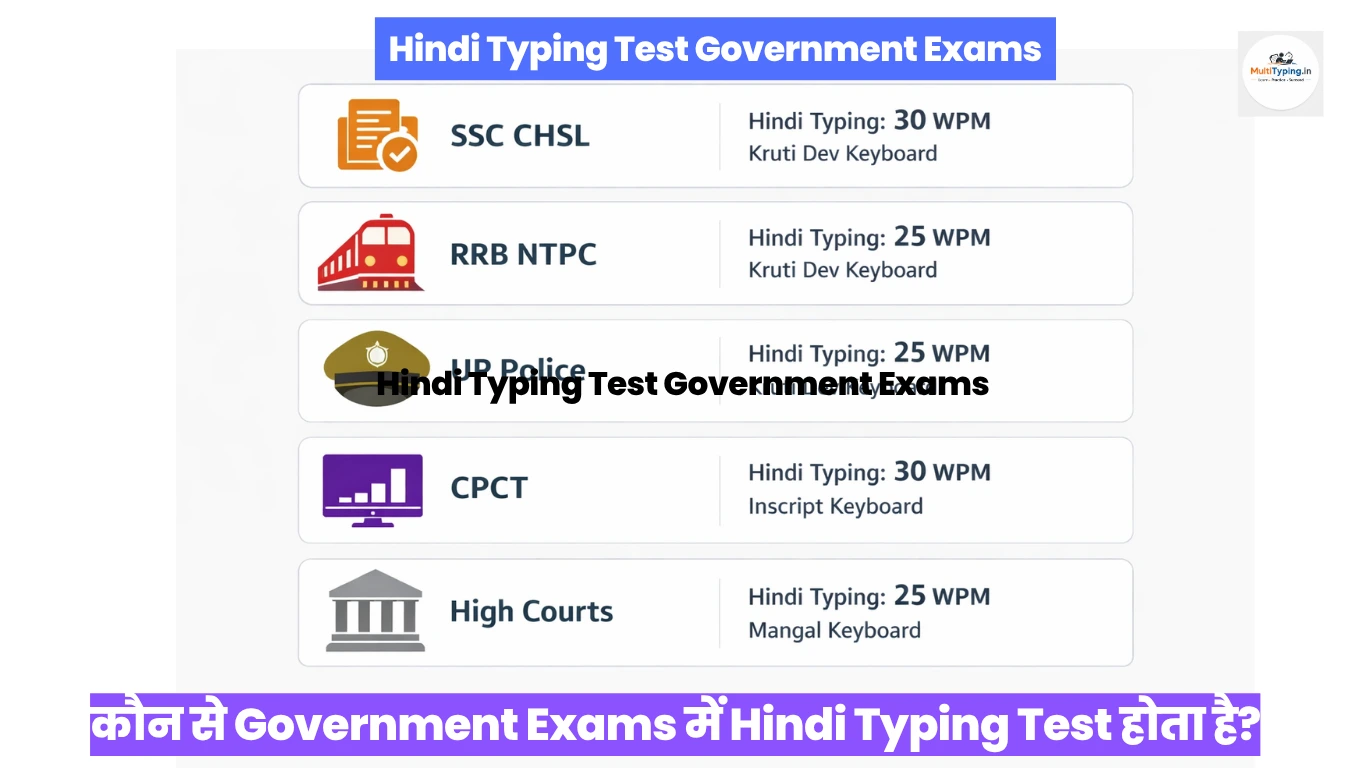
• SSC CHSL, CGL: Krutidev या Mangal Unicode (Inscript) accepted है, Remington Gail नहीं
• Railway Group D: Primarily Krutidev
• CPCT: सभी तीन options available - choice आपकी
• State exams: State-specific - कुछ में Remington, कुछ में Krutidev
Learning Curve:
अगर आपने पहले से typewriter पर Hindi typing सीखी है तो Remington Gail आसान लगेगा। Computer-based learners के लिए Krutidev या Mangal Unicode ज्यादा modern और user-friendly हैं।
Font Type:
Remington Gail legacy font है (non-Unicode)। Krutidev भी non-Unicode है लेकिन ज्यादा standardized है। Mangal Unicode है जो latest technology है।
Availability:
Krutidev modern systems में easily available है। Remington Gail के लिए कभी-कभी special setup की जरूरत पड़ती है।
Remington Gail Typing Kaise Seekhen? (How to Learn)
Remington Gail layout सीखने के लिए structured approach follow करना जरूरी है:
Step 1: Keyboard Layout Chart Memorize Karein
सबसे पहले Remington Gail keyboard layout chart को अच्छे से समझें और memorize करें। हर key की position और उससे type होने वाले character को note करें। Chart को print करके अपने सामने रखें।
Step 2: Basic Consonants (व्यंजन) Se Shuru Karein
क, ख, ग, घ जैसे basic consonants से practice शुरू करें। इन्हें बार-बार type करके muscle memory develop करें। हर वर्ण की exact position याद रखें।
Step 3: Vowels (स्वर) Practice
अ, आ, इ, ई जैसे vowels को separately practice करें। Independent vowels और matras (vowel signs) में difference समझें।
Step 4: Matras (मात्राएं) Add Karein
Consonants के साथ different matras लगाने की practice करें। ा, ि, ी, ु, ू, े, ै, ो, ौ सभी matras को systematically सीखें। यह थोड़ा tricky होता है इसलिए patience रखें।
Step 5: Conjuncts Aur Half Characters
Half characters (आधे अक्षर) और conjuncts (संयुक्त अक्षर) बनाना सीखें। क्, त्र्, ज्ञ जैसे combinations को practice करें।
Step 6: Numbers Aur Special Characters
Hindi numbers (१, २, ३) और special symbols (।, ॥, ॰) को practice करें।
Step 7: Complete Words Aur Sentences
अब छोटे words से शुरू करें और gradually complete sentences type करने की practice करें। Multi Typing platform पर Remington Gail layout के साथ structured lessons available हैं जो beginner से advanced level तक cover करते हैं।
Remington Gail Practice Tips Aur Strategy
Effective practice के लिए कुछ important tips जो आपकी learning को fast track करेंगे:
1. Daily Consistent Practice - Minimum 1-2 Hours
रोज़ाना कम से कम 1-2 घंटे dedicated practice करें। 30 minutes सुबह और 30 minutes शाम को practice schedule बना सकते हैं। Consistency is the key - एक दिन छोड़ने से rhythm टूट जाती है।
2. Target Exam Ka Layout Confirm Karein
सबसे पहले यह confirm कर लें कि आपके target exam में कौन सा layout accepted है। कुछ exams में only Krutidev, कुछ में Remington Gail, और कुछ में choice मिलती है। Galat layout सीखने से time waste होता है।
3. Avoid Mixed Practice
एक समय में एक ही layout practice करें। Krutidev और Remington Gail को साथ-साथ सीखने से confusion होती है और दोनों में mistakes बढ़ती हैं। पहले एक को master करें।
4. Accuracy Pehle, Speed Baad Mein
शुरुआत में accuracy पर focus करें। Speed naturally develop होगी। जल्दबाज़ी में galat keys press करने की आदत पड़ जाती है जो बाद में fix करना मुश्किल होता है।
5. Typing Tests Regularly Lein
हर हफ्ते mock typing tests देते रहें। यह आपको exam pattern और time management समझने में मदद करता है। Multi Typing पर timed tests available हैं।
6. Common Words Ki List Banayein
Frequently use होने वाले Hindi words की list बनाएं और उन्हें repeatedly practice करें। Government documents में common words जैसे सरकार, विभाग, कार्यालय को fast type करना सीखें।
7. Posture Aur Ergonomics
Correct sitting posture maintain करें। Screen eye level पर, hands comfortable position में, और feet flat on floor रखें। गलत posture से back pain और fatigue होती है।
8. Keyboard Shortcuts Yaad Karein
Remington Gail में special characters और symbols के shortcuts memorize करें। यह typing speed significantly बढ़ाता है।
Common Mistakes Se Bachein
Beginners कुछ common mistakes करते हैं जिनसे avoid करना चाहिए:
1. Layout Confusion: दो layouts को एक साथ सीखना। Stick to one layout until mastery।
2. Speed Ki Jaldbaazi: Accuracy sacrifice करके speed बढ़ाना। यह long term में नुकसानदायक है।
3. Irregular Practice: कभी 3 घंटे, कभी बिल्कुल नहीं। Regular daily practice बेहतर है।
4. Keyboard Ko Dekhna: बार-बार keyboard देखने की आदत। Touch typing develop करने के लिए screen पर focus रखें।
5. Wrong Finger Placement: Designated fingers का use न करना। Proper finger placement से speed और accuracy दोनों improve होते हैं।
Remington Gail Font Installation Guide
अपने computer पर Remington Gail font install करने के लिए:
Windows पर: Remington Gail font file download करें। Control Panel → Fonts folder में जाएं। Font file को copy करके Fonts folder में paste करें। Computer restart करें।
Online Practice: अगर installation में problem हो तो Multi Typing जैसे online platforms use करें जहाँ browser-based typing possible है और कोई installation नहीं चाहिए।
Typing Speed Target Aur Timeline
Different exams के लिए required typing speed:
• CPCT Exam: Hindi में minimum 20 WPM (Words Per Minute)
• High Court Exams: 25-30 WPM generally required
• State PSC: 20-25 WPM average requirement
• Data Entry Jobs: 30+ WPM preferred
Learning Timeline:
• 1 महीना: Basic layout comfortable, 10-15 WPM
• 2-3 महीने: Good accuracy के साथ 20-25 WPM
• 4-6 महीने: Expert level 30-40 WPM achieve possible
यह timeline dedicated practice के साथ achieve होती है। हर person की learning speed अलग हो सकती है।
Online vs Offline Practice
Online Practice के फायदे:
• Instant feedback और error correction
• Progress tracking और statistics
• Anytime, anywhere practice
• Mock tests और timed practice
• No software installation needed
Offline Practice:
• Typing tutor software install करें
• MS Word में practice documents बनाएं
• Offline typing test software use करें
दोनों methods का combination best results देता है। Online platforms जैसे Multi Typing structured learning provide करते हैं जबकि offline practice real exam environment simulate करती है।
Exam Day Tips
Typing test के दिन ध्यान रखने योग्य बातें:
• Previous night अच्छी sleep लें
• Exam से पहले 15-20 minutes warm-up practice करें
• Paani पी लें और fresh रहें
• Test start होने से पहले layout confirm करें
• पहले accuracy पर focus करें, speed automatically आएगी
• Mistakes पर ज्यादा time waste न करें, aage badhein
• Time management practice करके जाएं
Conclusion
Remington Gail Hindi typing layout सीखना government job aspirants के लिए एक valuable skill है। यह traditional layout आज भी कई state exams और offices में relevant है। Systematic approach, regular practice, और right resources के साथ कोई भी इस layout में proficiency achieve कर सकता है।
सबसे important है अपने target exam की requirements को समझना और accordingly practice करना। अगर आपके exam में Remington Gail accepted है तो dedicated practice से 2-3 महीने में अच्छी speed और accuracy develop हो सकती है।
Multi Typing platform पर Remington Gail के साथ-साथ अन्य popular layouts भी available हैं। Structured lessons, progress tracking, और mock tests के साथ आप efficiently अपनी typing skills improve कर सकते हैं। आज ही practice शुरू करें और अपने career goals achieve करें!