Government Exam Typing Test
Practice for SSC, Railway, High Court and CPCT with real exam conditions
SSC Standard: English 35 WPM, Hindi 30 WPM (10 min)
Calculation: Net Speed = (Total Characters / 5) − Errors
CERTIFICATE
OF TYPING PERFORMANCE
Candidate Name
For successfully completing an Online Typing Practice Test on MultiTyping.in and achieving the performance results shown below.
The Complete Free Typing Test for CPCT, SSC, Railway and High Court Exams
If your recruitment exam has a typing round, the test above is built to feel exactly like the real one. It supports Hindi Krutidev, Mangal Inscript, Remington Gail and English QWERTY, runs on the same net-speed formula examiners use, and locks out backspace and paste so your practice speed is your actual exam speed — not an inflated one.
Typing Speed Requirements for Government Exams (2025–26)
Every recruitment board sets its own qualifying speed, layout and duration. Before you start practising, check exactly what your target exam expects — training on the wrong layout or duration is one of the most common (and avoidable) mistakes candidates make.
| Exam / Post | English | Hindi | Duration | Layout | Backspace |
|---|---|---|---|---|---|
| CPCT Typing Test MP Govt — All Departments |
30 WPM | 25 WPM | 15 min | Remington Gail | Disabled |
| SSC CGL / CHSL Typing Test DEO / LDC / Tax Assistant |
35 WPM | 30 WPM | 10 min | Mangal / Krutidev | Disabled |
| Allahabad High Court Typing Test RO / ARO / Steno / Typist |
30 WPM | 25 WPM | 10 min | Mangal Inscript | Disabled |
| Railway RRB Typing Test Junior Clerk / Typist |
30 WPM | 25 WPM | 10 min | Mangal Unicode | Disabled |
| UP Police / SI / ASI Typing Test | 25 WPM | 25 WPM | 10 min | Mangal / Krutidev | Disabled |
| Banking / IBPS / SBI Typing Clerk / PO Data Entry |
30 WPM | — | 10 min | QWERTY English | Disabled |
| State PSC / Secretariat Typist | 30 WPM | 25 WPM | 10 min | Exam Specific | Disabled |
* Speed requirements can change with each new recruitment notification. Always cross-check the numbers above against your official exam notice before test day.

Live typing interface with real-time performance tracking
Why Aspirants Choose MultiTyping.in
There's no shortage of typing test websites — here's what actually makes a difference when you're preparing for a real, timed government exam.
CPCT-Accurate Exam Mode
Practice on the Remington Gail layout with a 15-minute timer and backspace fully disabled, just like the actual CPCT test screen.
Every Layout You Need
Krutidev, Mangal Inscript, Remington Gail and Unicode Hindi, English QWERTY, and nine regional language layouts in one place.
Live WPM and Accuracy Tracking
Watch your Gross WPM, Net WPM, accuracy and error count update every second, calculated with the same formula examiners use.
High Court Typing Practice
Dedicated passages built around legal vocabulary for Allahabad, Delhi, Rajasthan and MP High Court recruitment exams.
Paste and Backspace Blocked
Ctrl+V, right-click paste and drag-and-drop are all blocked in exam mode, so your practice score reflects your real skill.
Leaderboard and Live Community
Compare your speed with thousands of CPCT and SSC aspirants, chase weekly personal bests, and chat with fellow candidates.
Downloadable Practice Certificate
Generate a shareable PDF certificate with your WPM, accuracy and test date after every session, free of charge.
Works Everywhere, Best on Desktop
The tool runs on any screen size, but a physical keyboard on a laptop or desktop gives you results closest to the real exam.
Completely Free, No Sign-up
The typing test, leaderboard, certificate and community chat are all free — no account, no hidden paywall.
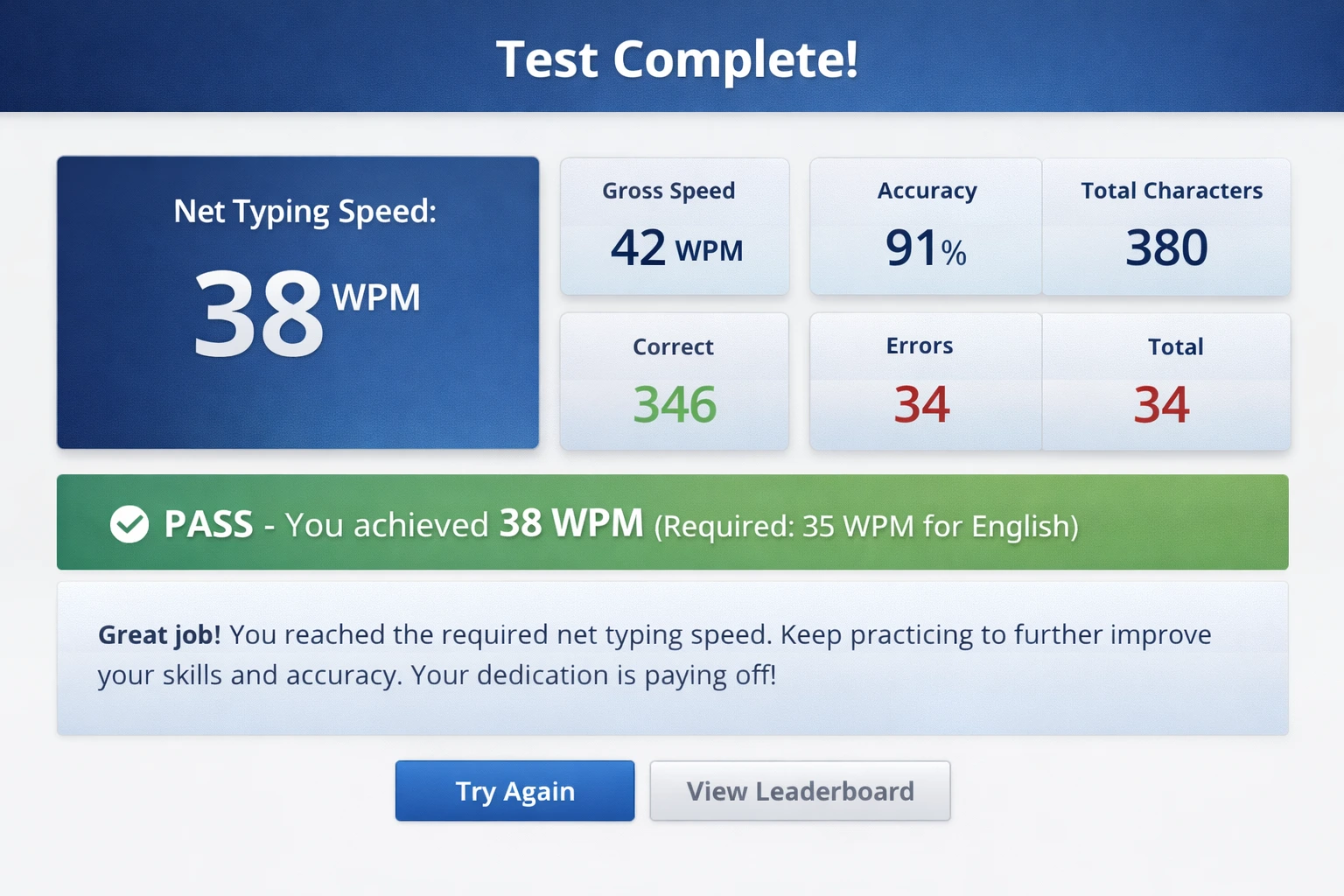
A detailed results breakdown with a clear pass/fail verdict
How to Take the Typing Test — Step by Step
Pick the Language and Keyboard Layout Your Exam Uses
Choose Remington Gail for CPCT. For SSC CGL or High Court, go with Krutidev 010 or Mangal Inscript. For English rounds, select QWERTY. Matching the exact layout named in your exam notification is what actually builds usable muscle memory.
Set the Duration to Match Your Exam
Use 10 minutes for SSC, Railway and High Court tests, and 15 minutes for CPCT. The countdown behaves exactly like a real computer-based test, so you also get used to pacing yourself.
Choose a Difficulty That Matches Your Level
Start on Easy if you're new to the layout. Move to Medium once you're comfortable — this is your exam-realistic zone. Switch to Hard only after you're consistently clearing the required speed.
Keep "Disable Backspace" Turned On
This single setting matters more than any other. Government typing exams never allow backspace, so practising with it off just teaches a habit you'll have to unlearn under pressure. Let mistakes happen and keep going — that's the whole point of exam mode.
Add Your Name for the Leaderboard
Optional, but it's a nice way to track your own progress over time — your score gets logged on the live leaderboard and printed on your practice certificate.
Type the Passage — Accuracy First, Speed Second
Click into the text box and start typing. Don't rush the first few lines. The top bar updates your Gross WPM, Net WPM, accuracy and error count live, every second.
Watch Your Net WPM — That's the Number That Counts
Green text means correct, red means an error. The progress bar shows how far through the passage you are. Net WPM is what examiners actually check, so keep an eye on it staying above your target cutoff.
Review Your Results and Download a Certificate
Once time runs out, you'll see your Net Speed, Gross Speed, Accuracy, Characters typed and a Pass/Fail verdict. Download a PDF certificate to track your progress, or hit "Try Again" and keep practising.
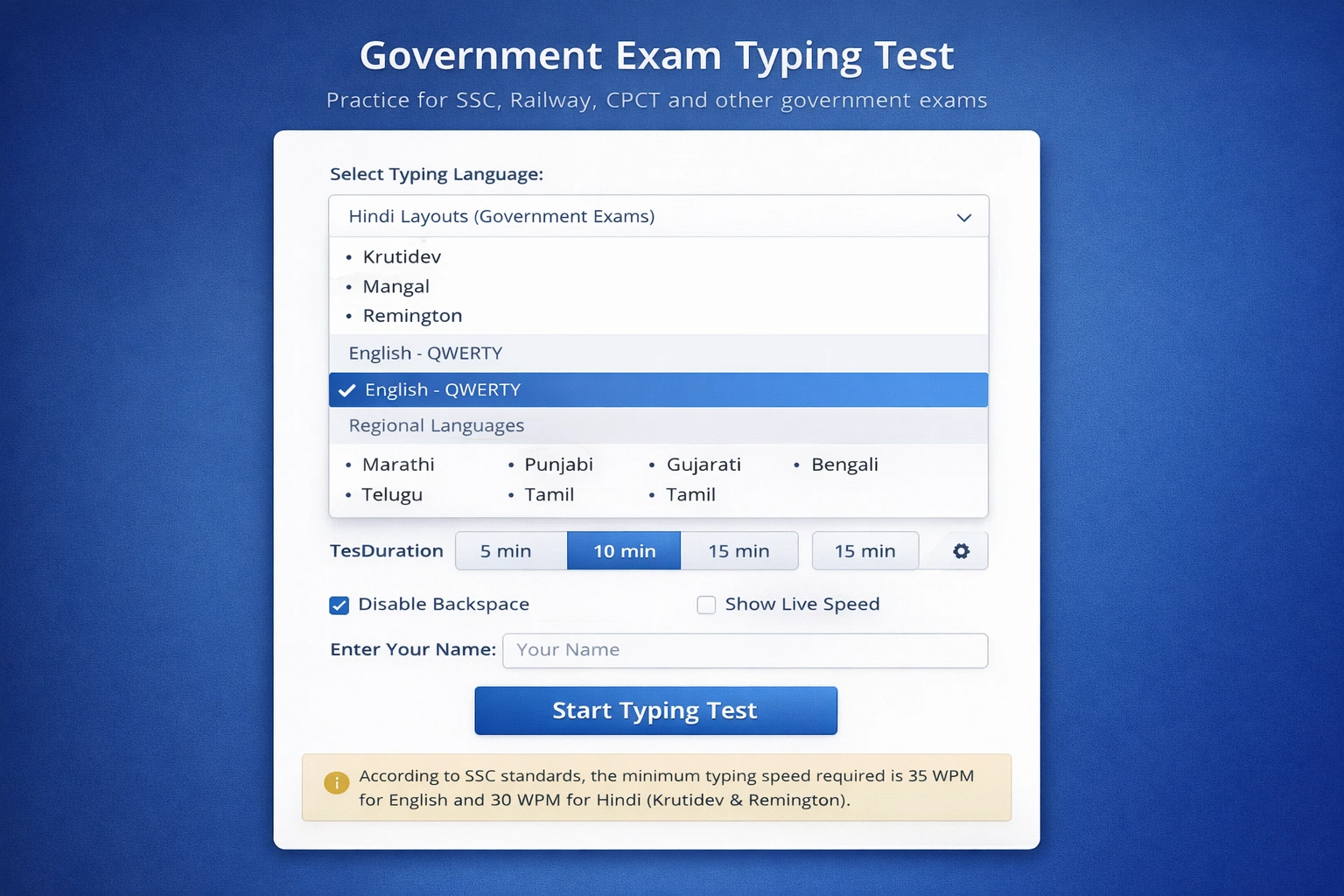
A simple setup screen with every language and exam-mode option in one place
💡 How to Actually Increase Your Typing Speed
Most candidates plateau because they chase speed before accuracy is solid. These are the habits that reliably move the needle, based on how the government typing test is actually scored.
Net speed is gross speed minus your errors — so a single mistake is genuinely expensive. Slow down until every character lands correctly, and once your accuracy holds above 90%, your speed will start climbing on its own. Chasing raw speed before accuracy is stable almost always backfires on exam day.
Typing is a muscle-memory skill, and muscle memory needs repetition, not marathons. Twenty to thirty focused minutes a day — one CPCT-style test in the morning, one SSC-style test in the evening — will improve your speed faster than a single long session once a week.
If your exam runs on Krutidev 010, train only on Krutidev. If it's CPCT, stick to Remington Gail. Switching layouts mid-preparation resets your finger memory and slows you down. Pick the layout named in your notification and stay with it through the entire preparation window.
Real SSC, Railway and CPCT exams don't let you correct mistakes with backspace. If you've been practising with it enabled, the exam interface will feel unfamiliar and stressful on the day. Keep "Disable Backspace" checked in every session so your practice conditions match the real thing.
Sit upright, keep the screen about 50–60 cm away, and anchor your fingers on the home row (ASDF JKL;). Wrists should stay flat with fingers slightly curved. Candidates who learn proper touch-typing technique typically see their speed climb to 40–50 WPM within two to three months of consistent practice.
Check where the top scorers on the leaderboard stand and treat that as your benchmark. Set a specific weekly goal — "hit 32 WPM net speed by Sunday" — instead of a vague one like "get faster." Small, measurable targets are far more motivating than open-ended ones.
Understanding Your Typing Test Results
After every test you get a detailed results card. Here's what each number means, and how it lines up with your actual government exam evaluation.
📈 Net Typing Speed (WPM)
Your qualifying speed.
( Total Characters ÷ 5 − Errors ) ÷ Time (minutes)
SSC English minimum is 35 WPM; CPCT Hindi minimum is 25 WPM.
📉 Gross Speed (WPM)
Your raw speed before any error deduction.
( Total Characters ÷ 5 ) ÷ Time (minutes)
Aim for a Gross speed at least 8–10 WPM above your required Net speed as a buffer.
✅ Accuracy %
( Correct Characters ÷ Total Characters ) × 100
Most exams expect at least 90% accuracy alongside the minimum speed requirement.
❌ Error Count
Every error directly reduces your Net WPM. In a 10-minute test, 20 errors costs you roughly 2 WPM — enough to push a borderline score into a fail.
🔢 Total Characters
The total keystrokes you typed, correct and incorrect combined. A higher count gives your net speed a higher ceiling to work with.
✔️ Correct Characters
Characters that exactly matched the passage. This is what drives both your accuracy percentage and your net speed, so it deserves your main focus.
Exam-by-Exam Typing Preparation Guide
🖥️ CPCT Typing Test — Full Guide
The Computer Proficiency Certification Test (CPCT) is conducted by MP State Agency for Promotion of Information Technology (MAP-IT) and is mandatory for most Madhya Pradesh government roles that involve computer work. The typing round runs for 15 minutes in both Hindi (Remington Gail) and English (QWERTY), with a required speed of 30 WPM English or 25 WPM Hindi. Backspace, delete and cut are all disabled during the actual test.
📋 SSC CGL / CHSL Typing Test Rules
The SSC typing test is a qualifying skill test for Data Entry Operator, LDC and Tax Assistant posts — it doesn't count toward your merit score, but you must clear it to be considered. English candidates need 35 WPM net speed; Hindi candidates need 30 WPM, typed on Mangal or Krutidev. The test runs for 10 minutes, and every error directly reduces your qualifying net speed.
⚖️ High Court Typing Test — RO / ARO / Typist
The Allahabad High Court typing test and similar state High Court exams are required for RO, ARO and Computer Operator posts. Minimum speed is typically 25–30 WPM for Hindi (Mangal Inscript) and 30 WPM for English. Passages often include legal terminology, so familiarity with court vocabulary genuinely helps.
🚂 Railway RRB Typing Test — Junior Clerk / Typist
Railway typing tests for Junior Clerk, Typist and Accounts Clerk posts require 30 WPM English or 25 WPM Hindi on Mangal Unicode, over a 10-minute duration with no backspace. The net speed formula is identical to SSC's — gross speed minus errors per minute.
❓ Frequently Asked Questions
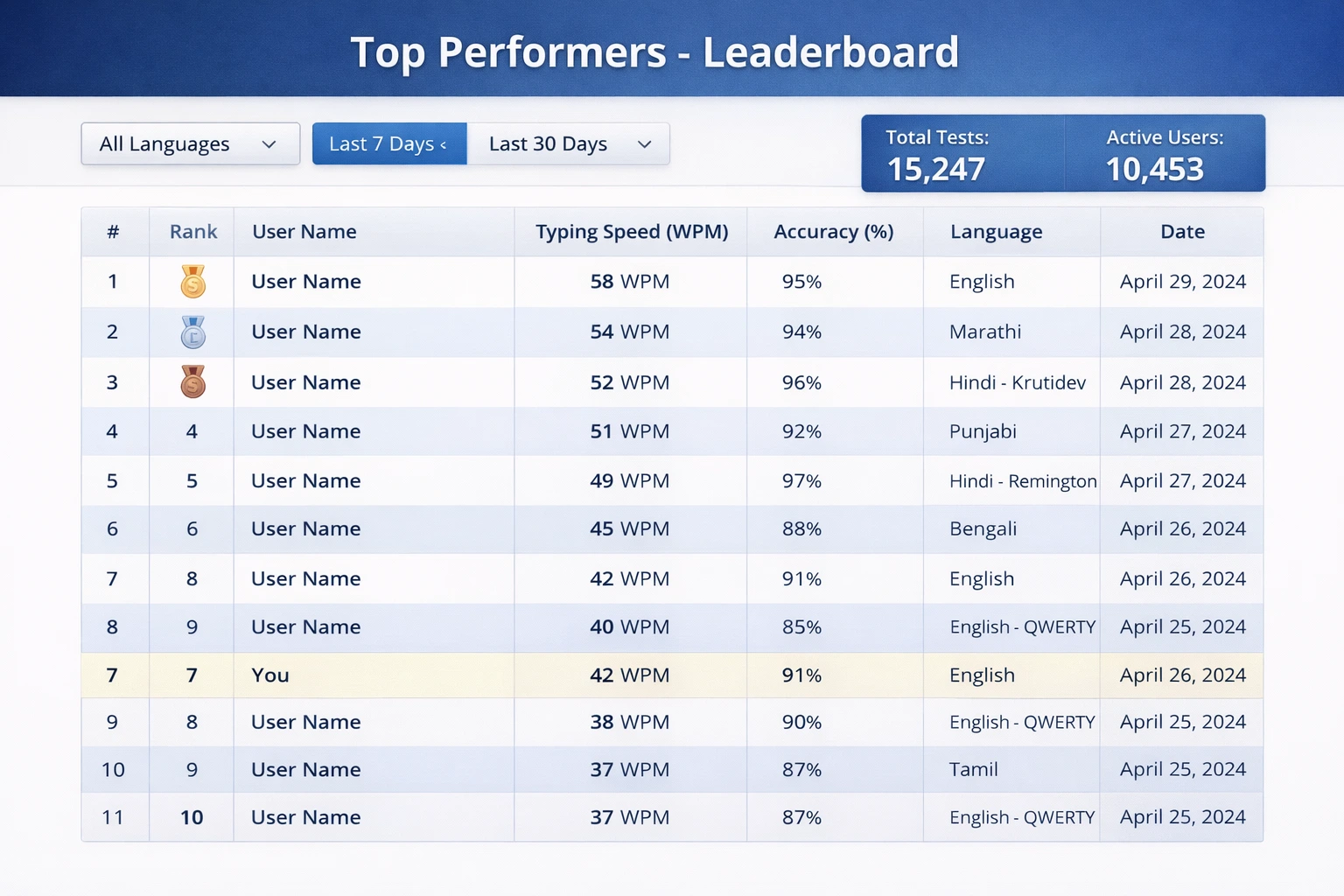
Track your progress and see how you stack up against other aspirants
🚀 Start Your Typing Test Right Now
Join thousands of CPCT, SSC CGL and High Court aspirants practising daily on MultiTyping.in — and talk strategy with them in real time.